
Your bio link isn’t just a place to drop your URLs — it’s a discoverable, searchable gateway to your content. With the right SEO optimization, your GetMy.Link page can attract fans directly from search engines — not just social clicks. More visibility means more clicks, more followers, and more sales — all without spending money on ads.
This guide shows you how to optimize your GetMy.Link page for search. You’ll learn how to write strong titles and descriptions, structure your page the right way, use keywords that match what people search for, and avoid common mistakes that hurt your rankings.
Optimize Your GetMy.Link SEO Settings
To give your page the best chance of showing up in search results, start by adjusting a few built-in SEO settings. GetMy.Link makes it easy to control how your page appears on Google and social platforms.
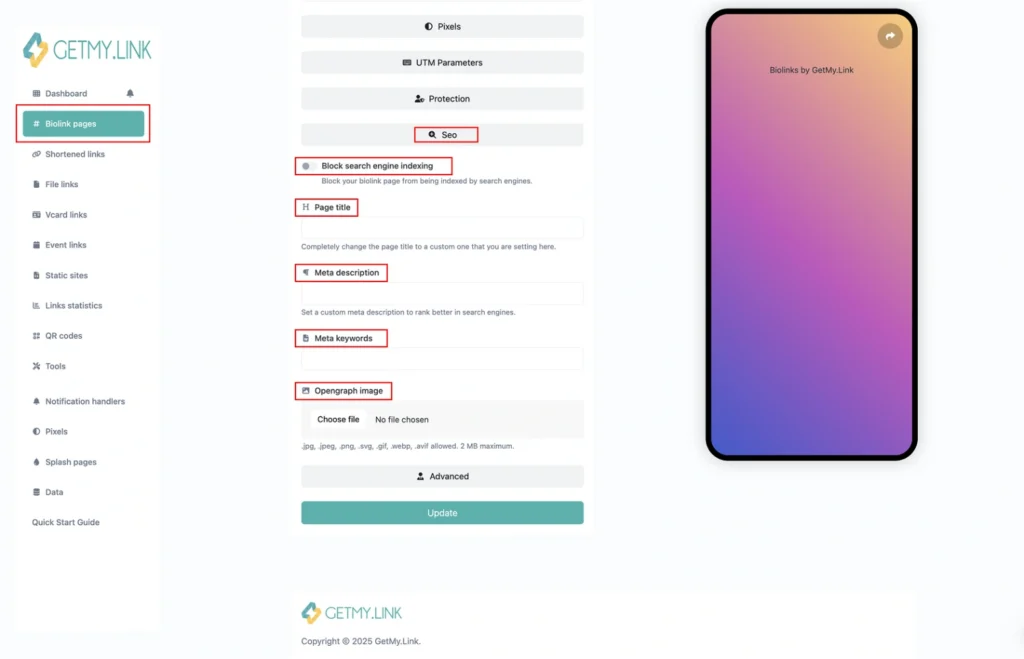
While editing your bio link page, go to the Page Settings panel and scroll to the SEO section to access fields like:
- Page Title – This is what shows up in Google search results as your headline. Use your name, brand, or what you’re known for online.
Example: Luna Rose – Spicy Creator & Exclusive Content. - Meta Description – A short summary that appears under the title in search. Keep it under 155 characters, describe what users will find on your page, and include a strong hook.
- Allow Search Indexing – In the SEO section, make sure the option “Block search engine indexing” is turned off. If it’s turned on, your page will stay hidden from Google and other search engines.
- OpenGraph Image – This is the preview image people see when you share your link on social platforms. Use a branded image, promo banner, or even a cropped screenshot of your page.
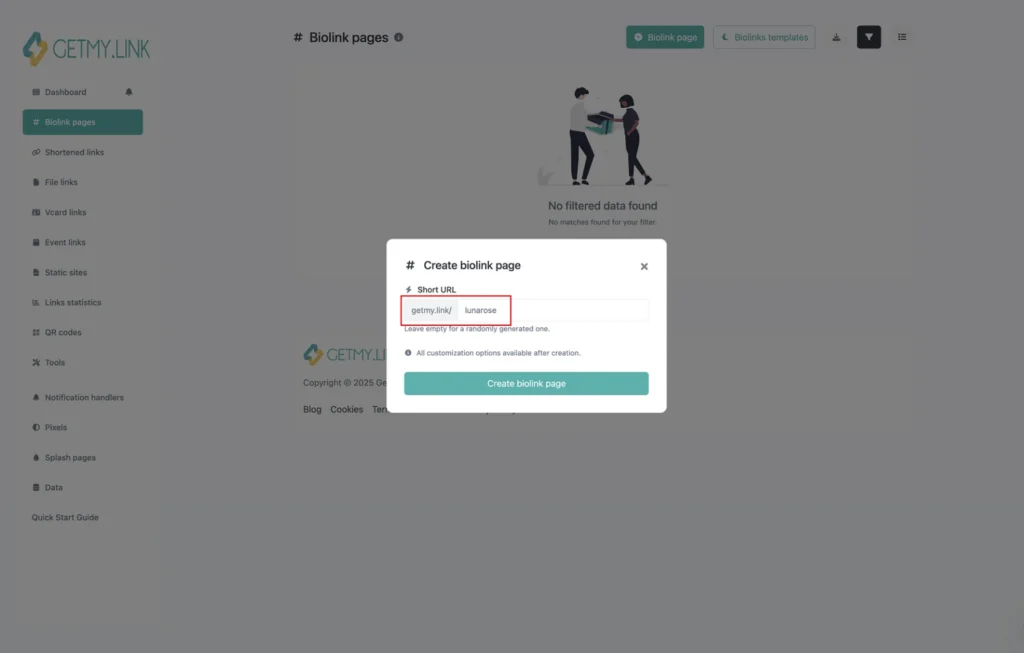
You can also edit your short URL (the slug). For example, getmy.link/yourname could become something like getmy.link/lunarose. A clean, memorable slug doesn’t directly boost SEO, but it makes your link more clickable and recognizable — especially when shared in bios or on social platforms.
Craft Keyword-Rich Content
Once your SEO settings are in place, it’s time to focus on the actual content that lives on your GetMy.Link page. Search engines rely on visible text to understand what your page is about — so even a simple bio link page needs the right words in the right places.
Here’s how to do it:
- Use Relevant Keywords Naturally
Think about what people would type into Google to find someone like you — your name, niche, content type, or specific offers. Use those phrases in your page’s visible text, like link titles, headings, and bios. Instead of writing “Click here”, say “Check out my foot fetish content” or “Hot big boobs videos right here”. This helps Google match your page with real search queries.
- Add a Short Text Section or Bio
If your page only has links and buttons, it may not have enough context for search engines. Add a short bio at the top or a description under key sections. Mention who you are, what you offer, and include a few of those keywords in natural sentences. This boosts relevance and gives your page a voice.
- Use Headings for Structure
Break your page into sections using headings (like “Exclusive Content”, “Social Links”, or “About Me”). Headings help users skim — and they help Google understand your page layout. Use your main keyword once in a heading if it fits naturally.
- Avoid Keyword Stuffing
Don’t force keywords everywhere. It makes the page feel spammy and actually hurts your SEO. Keep it readable, friendly, and focused.
Structure and User Experience
SEO isn’t just about words — it’s also about how your page is built. A clean, clear layout helps both your visitors and search engines understand your content. The easier it is to browse, the more likely people are to stick around (and the more Google likes it).
Here’s how to structure your GetMy.Link page for both humans and algorithms:
- Put your best links first
Lead with what matters most: your paid content, subscription links, or main platform. Don’t bury them under social buttons or tip jars. Priority links should sit at the very top.
- Group similar links under headings
For example: “Subscribe for Full Content”, ”Watch My Free Previews”, “Custom Videos & Requests”, “Follow Me on Socials”. This creates a logical flow and helps users find what they want faster. It also gives search engines helpful context.
- Add short labels or descriptions under sections
A quick line like “Full-length fetish clips & custom content” under your video links helps with both clarity and keyword usage.
- Avoid clutter
Too many buttons or random images will overwhelm visitors and make your page look messy. Stick to 5-7 key links max. Group the rest under collapsible menus or a “More” section if needed.
- Use consistent colors, fonts, and styles
This isn’t just about aesthetics — a clean, branded design improves trust and encourages clicks. Pages that look polished tend to keep users longer, which sends positive engagement signals to search engines.
- Preview on mobile
Most fans will visit your bio link from their phones. Open your page on mobile and check: Is everything readable? Are buttons easy to tap? Are sections spaced well? Google prioritizes mobile usability in rankings — and so should you.
Leverage GetMy.Link Features
GetMy.Link isn’t just a place to add links — it includes built-in tools that can boost your discoverability when used strategically. Here’s how to get the most SEO value from what’s already inside your dashboard:
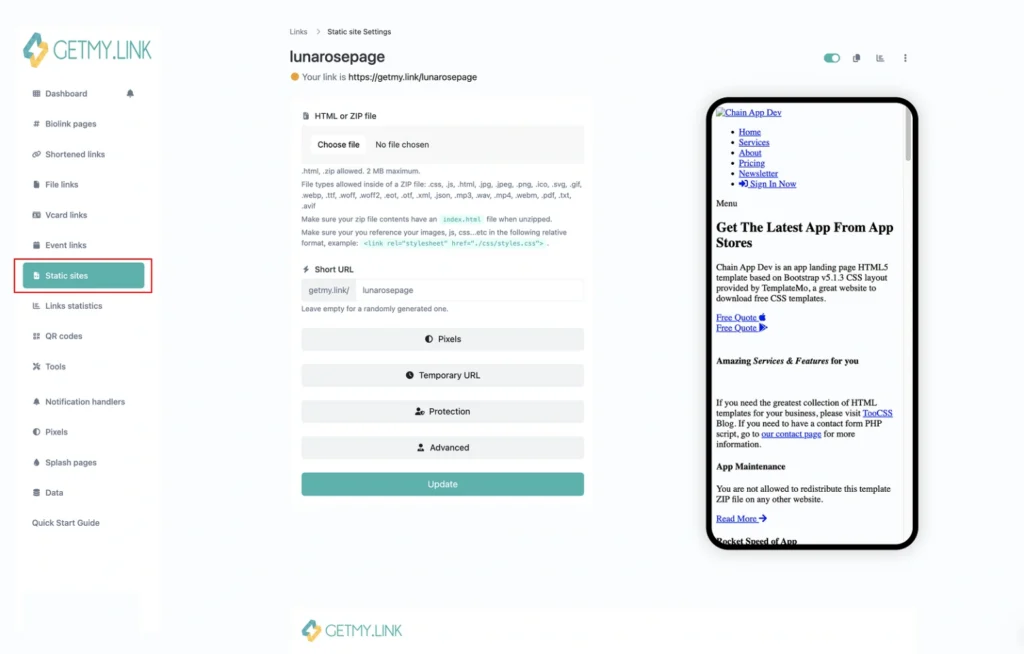
- Use Static Pages for Deeper SEO
If you need more flexibility than a bio link page allows, use a Static Page. It’s a single-page mini-site you can upload with more detailed text, images, and headings. Google can index everything on a Static Page just like a regular website, making it ideal for niche search terms or long-form landing pages (like “foot worship content” or “femdom JOI creator”).
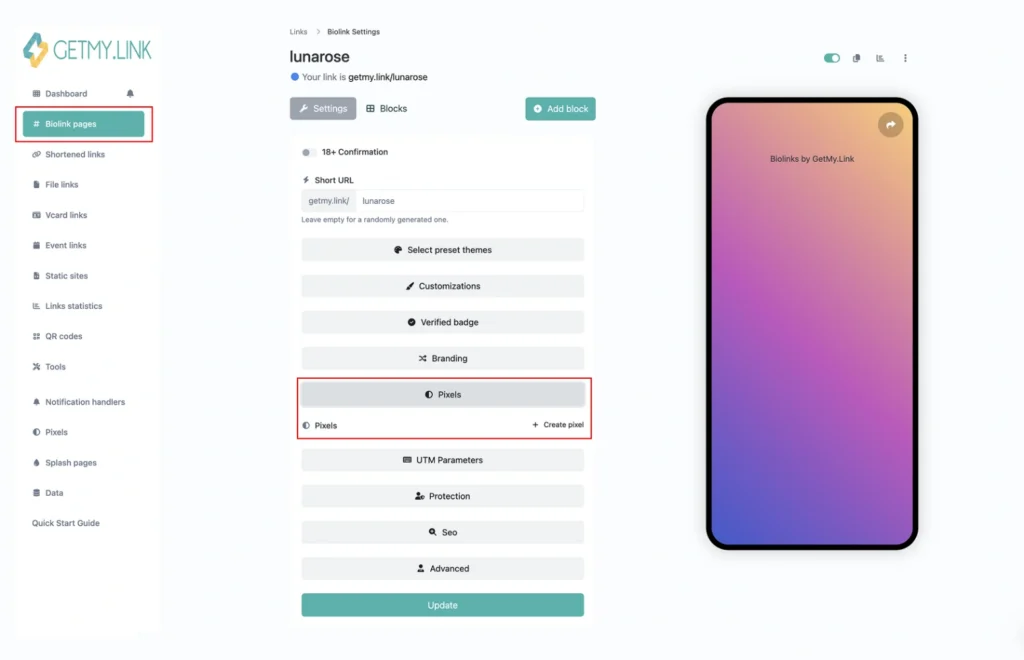
Pixels dropdown in GetMy.Link
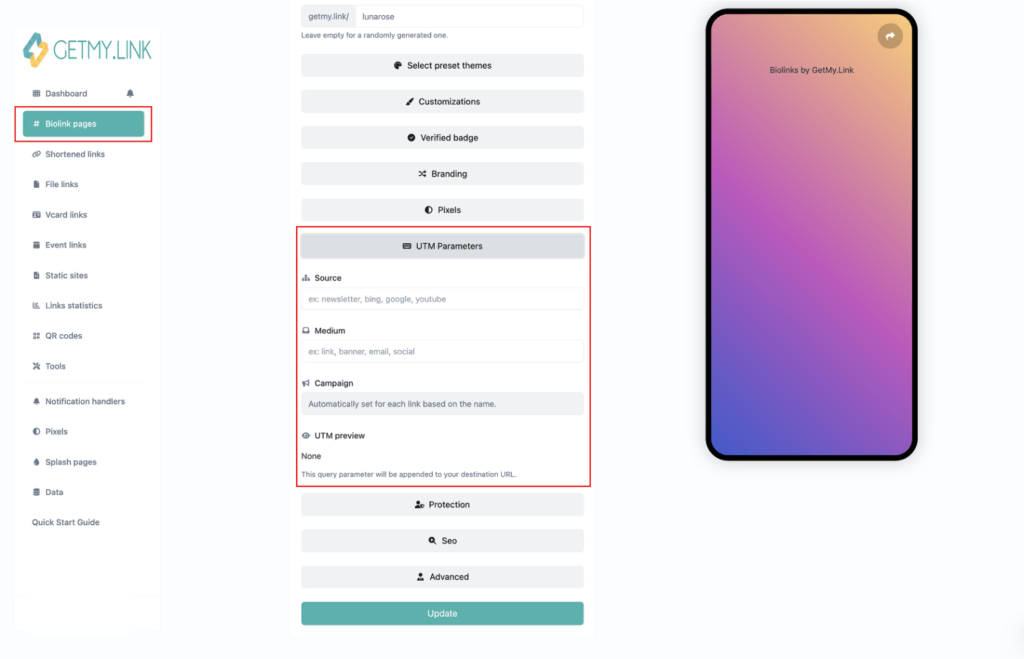
UTM Parameters dropdown in GetMy.Link
- Add Tracking Pixels & UTM Tags
Want to know what traffic sources drive the most visits? Paste in your ad or analytics pixel under Analytics Settings, or use UTM-tagged URLs for external promotions. While tracking doesn’t impact SEO directly, it gives you the insights needed to refine content and link strategy based on what actually gets clicks.
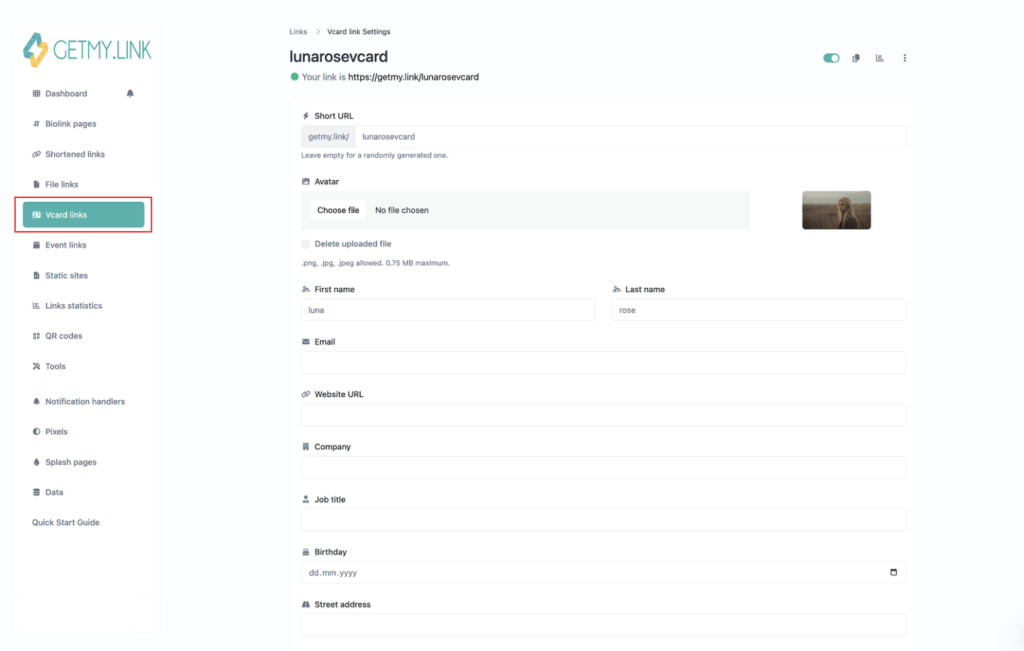
vCard settings window in GetMy.Link
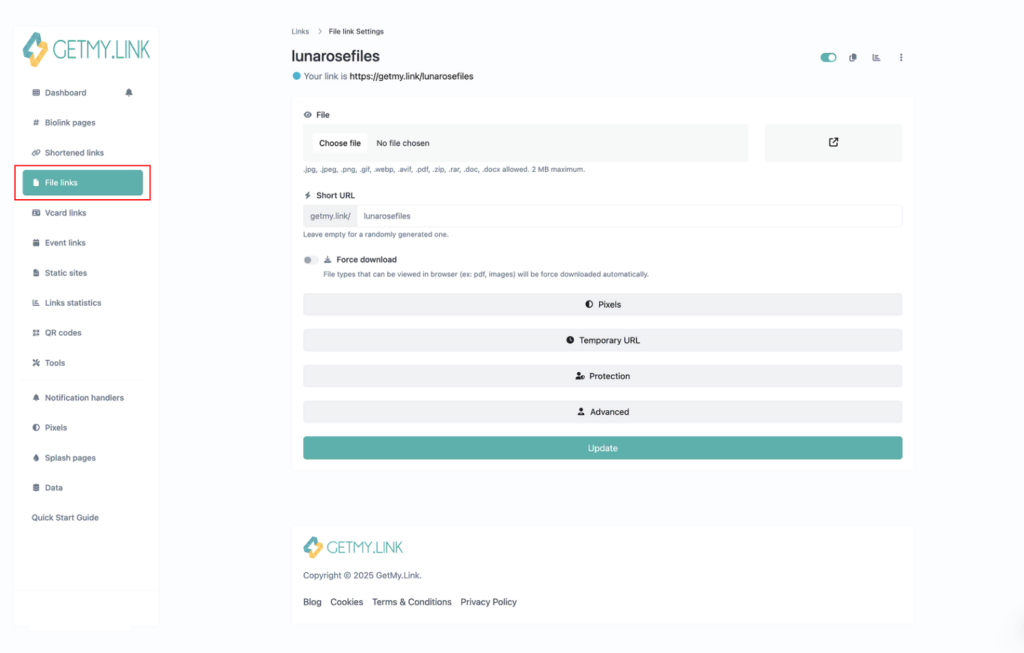
File Link settings window in GetMy.Link
- Use vCards or File Links for Niche Keywords
If you offer services (like sessions or meet-ups), upload a vCard with your details — it’s indexable. Or create a File Link with downloadable pricing menus, booking forms, or instructions. These files are crawled by search engines and may surface in niche queries like “pro domme rates” or “custom JOI menu”.
Best Practices Recap
Before you hit publish, take a moment to review the SEO basics that can turn your GetMy.Link page into a traffic magnet. These simple habits help your page stand out in search and keep fans clicking.
- Set Your SEO Title & Description
Write a clear title and a short, punchy description in the SEO panel. Mention your name, niche, or type of content. Keep it human-readable — it’s what shows up in Google. These are the foundation of your GetMy.Link SEO. - Allow Indexing
Double-check that search engines are allowed to index your page. If indexing is off, nothing else you do for SEO will matter. - Use Clear, Keyword-Based Link Labels
Each button should include specific words people might actually search for. Example: “Foot Worship Content” or “Big Boobs Hot Video”. - Write a Short Intro or Bio
One or two sentences with natural keywords give search engines something to read — and help fans know they’re in the right place. - Structure with Headings
Break your page into sections and subsections using clear, descriptive headings.
This helps visitors scan your content faster and gives search engines more context about what each part of your page is about. - Optimize for Mobile
Preview your page on a phone. Make sure buttons are big enough to tap and that the layout isn’t overcrowded. - Track What Works
Use analytics or UTM links to see which buttons get the most clicks. Adjust your layout and text based on real data. - Keep It Fresh
Update your links, images, or intro regularly. A page that changes tells Google it’s active — and that matters.
Even small tweaks — like rewording a button or trimming clutter — can make your bio link page more visible, more clickable, and more profitable.
Ready to turn your page into a discoverable hub? Head into your GetMy.Link settings and start applying what you’ve learned.
FAQ: SEO and Visibility for Your GetMy.Link Page
Got questions about boosting your bio link’s reach? Here’s everything creators ask most often — from keywords to clicks.
What is SEO and why does it matter for my bio link page?
SEO (Search Engine Optimization) is the process of making your content easier to find on search engines like Google. It involves using the right words, structure, and layout so that platforms like Google understand what your page is about and show it to the right people.
For your bio link page, good SEO can help new fans discover you outside of social media. Instead of only being clickable from your Instagram or X (Twitter), your GetMy.Link page can appear in Google results when someone searches your name, niche, or content type — bringing you organic traffic and potential subscribers.
Can people find my GetMy.Link page on Google?
Yes — if your page is public and indexing is enabled. GetMy.Link allows search engines to find and list your page, but only if you haven’t blocked it in the SEO settings.
To check this:
- Left-side menu — select “Biolink”
- Click the dropdown for “SEO”
Make sure “Block search engine indexing” is turned OFF.
If this switch is off, your page can appear in search engines like Google. Combine that with a strong title, clear description, and keyword-rich content — and your bio link page becomes fully searchable.
If the setting is turned on, your page will remain hidden from all search engines, regardless of how well it’s optimized.
How do I write a good page title and meta description?
Your page title and meta description are what show up in Google search results. Think of them as your first impression.
Title tips:
- Use your creator name or brand
- Add a keyword that describes your content (e.g. “foot fetish” or “BBW Latina”)
- Keep it under 60 characters
Example: Luna Rose – Foot Fetish Videos & Customs
Meta description tips:
- Write a short, clear sentence (under 155 characters)
- Mention what fans can expect on your page
- Add a call to action if it fits
Example: Watch my latest foot worship clips, custom JOIs, and spicy photo sets. Tap to unlock everything.
These two fields help search engines understand your page and encourage clicks from real people.
What keywords should I use for adult content?
The best keywords are the ones your audience is already searching for. Think about the terms people type into Google when looking for your kind of content.
Some examples:
- “foot fetish video”
- “big boobs JOI”
- “NSFW cosplay girl”
- “milf domina”
- “onlyfans femdom customs”
Use those phrases in your bio, button titles, headings, and image alt text — naturally and without stuffing. Avoid overly generic terms like “hot content” or “sexy photos”, which are too broad and not SEO-friendly.
You can also use tools like Google’s Keyword Planner or just explore what autocomplete suggests when you start typing into search.
How often should I update my bio link page to help SEO?
Search engines prefer active, regularly updated pages — even simple ones. You don’t need to change everything all the time, but updating your GetMy.Link page every 2-4 weeks can help keep it fresh in search results.
Here are a few ways to update it without starting from scratch:
- Swap in new content links (like latest videos, photosets, or promo offers)
- Edit your bio or section titles with seasonal keywords
- Reorder buttons based on what’s performing best
- Add or change headings to highlight new focus areas
A living page shows Google that you’re active, which can lead to better visibility over time.
Does my GetMy.Link short URL affect search ranking?
Your short URL (also called the “slug”) doesn’t have a direct impact on rankings — but it does affect clickability and trust.
For example:
✅ getmy.link/LunaRose looks clear and professional
🚫 getmy.link/user98392xks looks random or spammy
Use a slug that includes your name, brand, or niche keyword. It makes your link more memorable, easier to share, and more appealing in search results — all of which lead to higher click-through rates.
What’s better for SEO: fewer links or more links?
Quality beats quantity. A long list of random or repetitive links can confuse visitors and reduce engagement — both of which can hurt your SEO.
For best results:
- Highlight 5-7 core links that drive the most traffic or revenue
- Organize others under headings or groupings
- Use clear labels that explain where each link leads
Too many links can look spammy, while a focused, well-structured page helps users stay longer and improves SEO signals like click-through and time on page.
Should I write a bio on my link page?
Yes — even a short bio adds major SEO value. Without any text, your page may not have enough content for search engines to understand.
Use your bio to:
- Introduce yourself (name, niche, what kind of content you create)
- Include 1-2 relevant keywords naturally
- Mention what visitors can expect from your page (e.g. “custom JOIs”, “BBW Latina clips”, “NSFW cosplay”)
A few well-written sentences help your page rank for searches related to your name, style, and content type — while also giving new fans a reason to stay.
Will Google penalize me for adult links?
No — Google does not automatically penalize websites or pages just for having adult content or adult links. However, there are a few important things to keep in mind:
- Your page must follow Google’s guidelines
As long as your GetMy.Link page doesn’t include illegal content, malware, or spammy behavior (like keyword stuffing or deceptive redirects), you won’t be penalized simply for being NSFW. - Mark content as adult when necessary
Google uses SafeSearch filtering to keep explicit content out of general results. This doesn’t hurt you — it just ensures your page is shown to users who are actively looking for adult material. - Keep things clear and honest
Use proper descriptions and link titles. Avoid misleading users or cloaking links (e.g., pretending something is free when it’s not). Pages that trick users can be flagged or ranked lower.
Adult links are allowed, but your SEO success depends on how well your page is structured, how fast it loads, and how helpful it is to your visitors — just like with any other type of content.