
Being a creator today means being a business. You’re not just filming content — you’re marketing, engaging, tracking stats, testing offers, growing platforms, replying to fans, and building a brand across multiple channels. It’s a full-time job with a dozen moving parts.
And yet, one of the biggest challenges remains painfully simple: where do you put all your links?
Your OnlyFans, your backup pages, your Reddit, your shop, your DMs, your tip jars — they all matter. You need your fans to see everything. But most platforms give you just one bio link. Worse, they treat adult content like a liability. Try putting your OnlyFans link in your Instagram bio — it could trigger a shadowban or get removed altogether. TikTok? They’ll flag you for even implying a link leads to adult content. Even X (Twitter), which is more tolerant, limits how easy it is to guide fans to all your paid pages.
That means creators are forced to jump through hoops: link trees that look generic, workarounds that break, or worse — profiles that get banned for doing nothing wrong.That’s where GetMy.Link changes the game.
Creating a Clean, Click-Worthy Link Hub
Your audience moves fast. They don’t want to search through old tweets or scroll your feed to find where to subscribe. If they can’t find your OnlyFans in one tap, they’re gone.
That’s why every creator needs a central hub — a single link that opens everything you offer in one clean, mobile-ready page. Not a cluttered directory with ads or third-party branding, but something that looks like it belongs to you.
With GetMy.Link, that’s exactly what you get: a customizable bio page where you decide what your fans see first. Want your OnlyFans subscription at the top? Done. Need to show your backup links or a tip jar? You’re in control. Every button, image, and text block is fully editable — and safe to use on any platform, including adult content.
Instead of sending fans in circles, you send them where it counts — to subscribe, support, and connect.
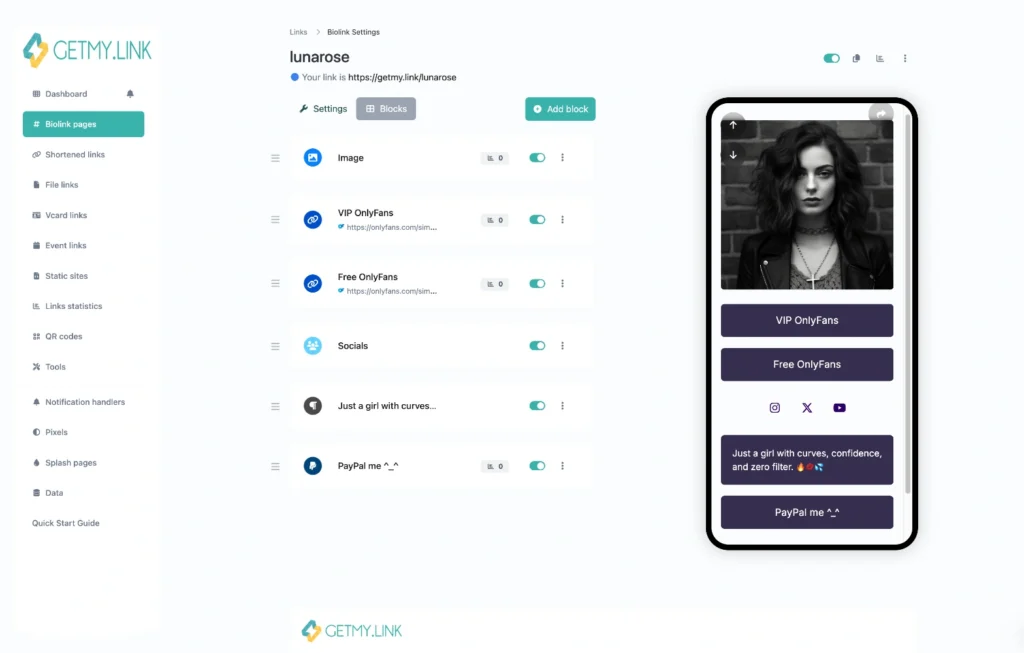
(example of a GetMy.Link biopage customized for an adult creator)
What to Include on Your Page
Every tap matters. When someone clicks your link, you’ve got a few seconds to convince them to subscribe, follow, or spend. So what should your GetMy.Link page include?
Start with the most important action — usually your OnlyFans. Put it right at the top with a strong, clear button like “🔥Subscribe to My OnlyFans”. Don’t be vague — tell them what they’ll get, and why they should click.
Then stack supporting links beneath it:
- Social Profiles: Instagram, X (Twitter), Reddit — wherever you post free teasers or talk to fans.
- Backup Pages: Many adult creators keep second accounts or mirror sites. Link them visibly.
- Premium Platforms: If you also use Fansly, LoyalFans, or a clip store — include them too.
- Tipping / Wishlist: CashApp, Amazon Wishlist, or direct tip links keep your income diversified.
- Community Access: Links to your Discord, Telegram, or email list deepen fan connection.
- Free Content or Trials: If you offer teaser videos, wall-safe samples, or limited-time trials, feature them with labels like “🎁 Free Preview” or “🎉 3-Day Trial”.
Every link should serve a goal: grow subscribers, build loyalty, or increase earnings. Don’t overload the page — aim for clarity and click-worthiness, not clutter.
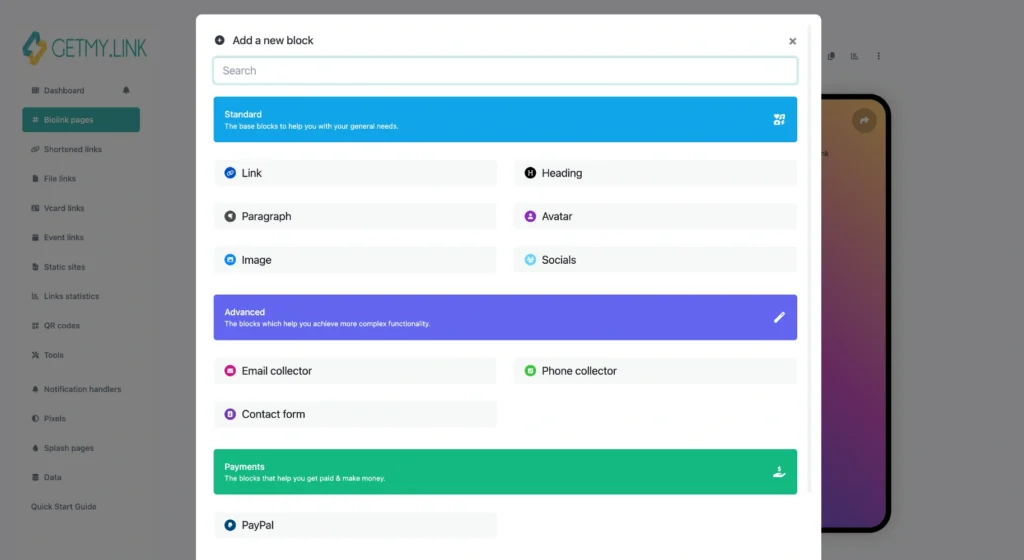
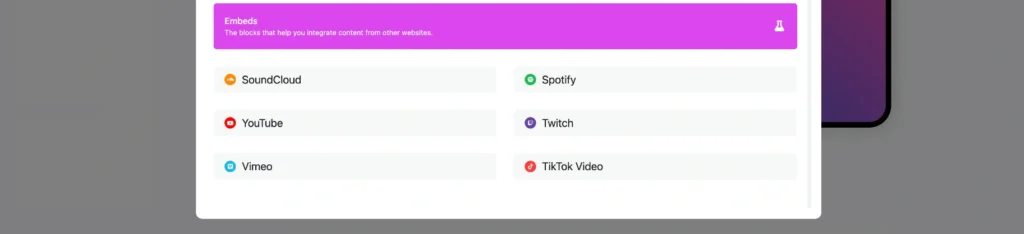
(Add Block Menu – available content blocks for your Biolink page)
Design That Converts
A sloppy or generic page can cost you fans. Adult content is personal — your link page should feel personal too. It should look like you.
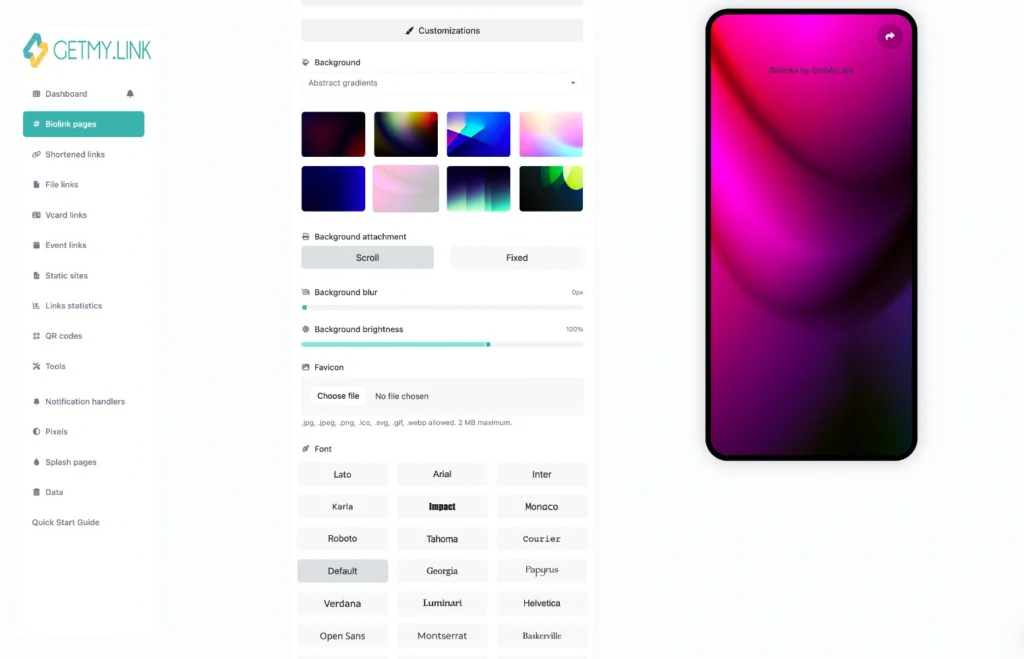
GetMy.Link lets you fully control the visuals. You can customize your:
- Colors: Match your brand palette — soft pastels, dark mode, bold neons — whatever fits your vibe.
- Fonts: Use clean, readable fonts that reflect your style (playful, elegant, edgy).
- Backgrounds: Upload a branded image, blurred teaser, or keep it simple with a color gradient.
- Profile Avatar & Headline: Add a profile picture and welcoming title like “Hey babe, here’s everything I offer 💋”. Make it warm, not robotic.
This isn’t about overdesigning — it’s about trust. If your page feels consistent with what fans see on your socials or content previews, they’re more likely to click and convert.
Your link page is part of your funnel. Treat it like a storefront, not a placeholder.
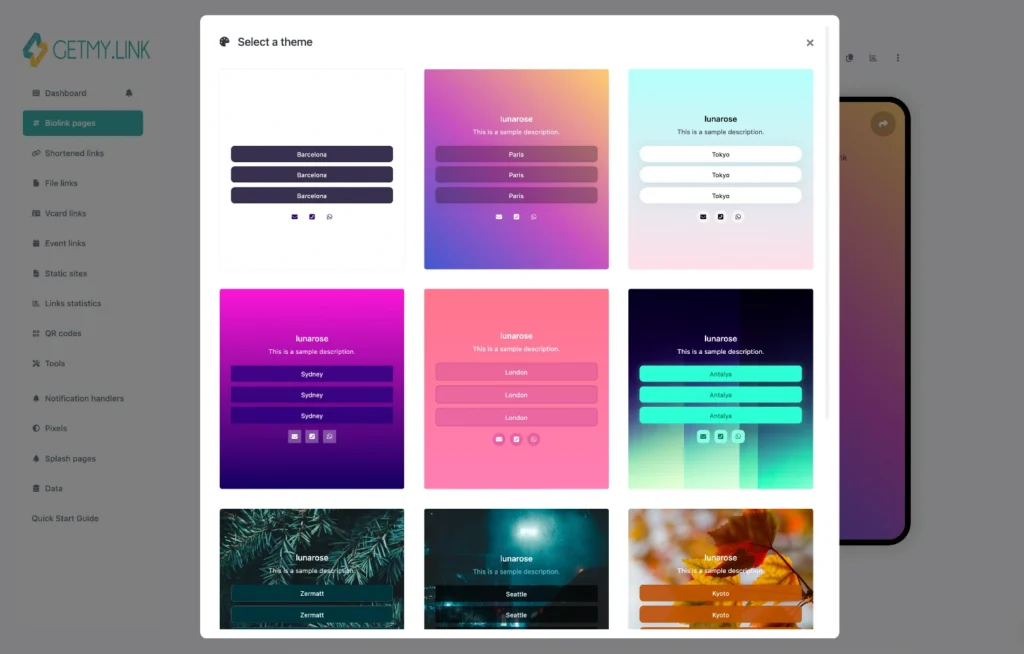
(customize your Biolink page design to match your personal brand)
Promoting Your Link Everywhere (Without Getting Flagged)
Your GetMy.Link URL is powerful — but how you use it matters, especially on platforms that don’t play nice with adult creators.
Apps like Instagram and TikTok have strict rules about linking to explicit content. Even if your content lives on OnlyFans or Fansly, simply placing a direct link (or obvious adult references) can lead to shadowbans or profile takedowns.
So how do smart creators get around this? They optimize the first impression.
The trick: Don’t hit platforms with NSFW content up front.
When you share your GetMy.Link on a mainstream platform:
- Keep your page safe-for-work on first glance:
Use a clean avatar, soft teaser image, and a neutral welcome message like “All my links in one place”. - Avoid words like “18+”, “nudes”, “uncensored”, or emojis that scream NSFW in your page title or button labels.
- Make your first link a gateway to a second, NSFW page. For example:
- Button: “🔥 Exclusive content here”
- That button leads to your NSFW biolink page, where your OnlyFans, Fansly, and explicit previews live.
- You can even design two Biolink pages: one SFW for socials, one NSFW for subscribers or warmer traffic. Link them together with a single tap.
This layered approach keeps your GetMy.Link compliant — and avoids attention from bots or moderators — while still leading fans exactly where they need to go.
Where to use this link:
- Instagram Bio: Add your SFW-friendly GetMy.Link. Instagram will accept it if the preview page is neutral.
- TikTok Bio: Same rules apply. Many creators get away with this strategy as long as they avoid aggressive labeling.
- X (Twitter) Profile: More flexible — here you can use your full biolink with explicit previews, since the platform allows adult content.
- Pinned Posts / Stories: Whether on Instagram or X, use these to direct attention to your link. A pinned tweet with a soft CTA and your link works great.
By softening the entry point — and only showing adult content after a user clicks through — you stay compliant without hiding who you are.
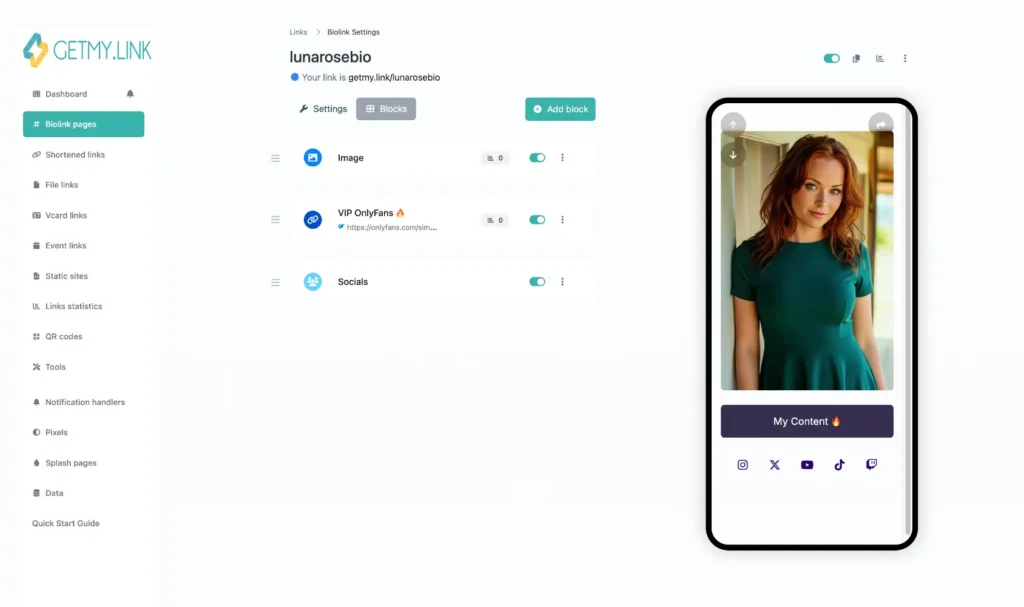
(example of a safe-for-social Biolink page designed for Instagram or TikTok)
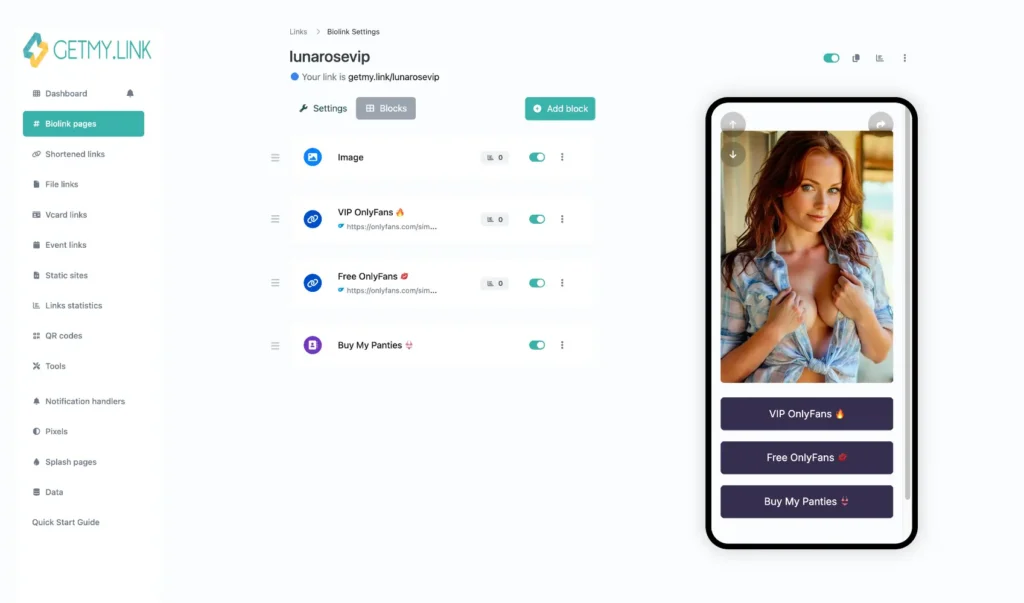
(the NSFW version — shown only after fans click through)
QR Codes: Taking Your Promo Offline
Online isn’t the only place fans can find you.
With GetMy.Link’s built-in QR code generator, you can create a scannable code that sends people straight to your Biolink page — perfect for offline moments or image-based promo.
Where QR codes work great:
- Business cards & stickers at fan meetups, clubs, or events.
- Flyers or merch — a QR on a shirt tag, postcard, or poster leads curious eyes to your page.
- Profile pictures or story frames — add a small QR to your X (Twitter) header, Reddit banner, or teaser image.
Make sure the landing page is SFW if you’re posting the QR in public or on mainstream networks — same rules apply as with any link. You can always set the first button on that page to lead to a spicier version.
With GetMy.Link, your QR is branded, trackable, and totally free. And unlike some platforms, you won’t be blocked for using it creatively.
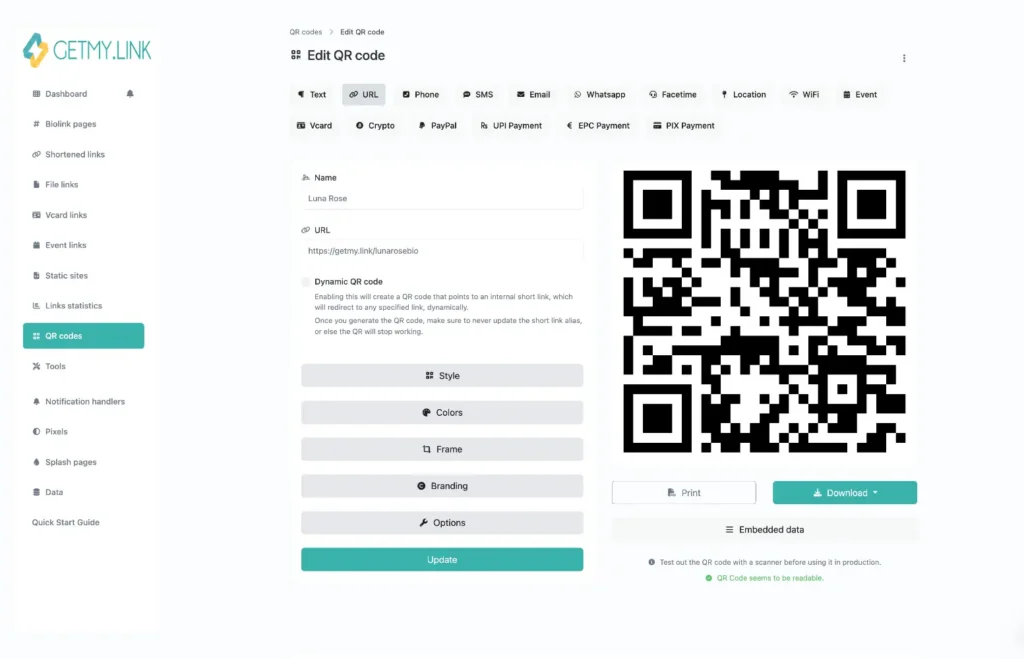
(generate a custom QR code that links to your page)
Advanced Tools That Help You Grow Faster
Once your Biolink page is live, GetMy.Link gives you more than just a list of buttons. It becomes a mini marketing system — with tools that can track, test, and scale your growth.
Here’s what creators are using behind the scenes:
Smart Short Links
- Redirect by location or device — for example, mobile users can be sent to a mobile-optimized version of your page, while desktop users see a version with different content or formatting.
- Send traffic to different pages by country — useful if you promote on geo-restricted platforms or want to run region-specific offers (e.g. English-speaking countries → English OnlyFans page, Spanish-speaking countries → Spanish version of your OnlyFans).
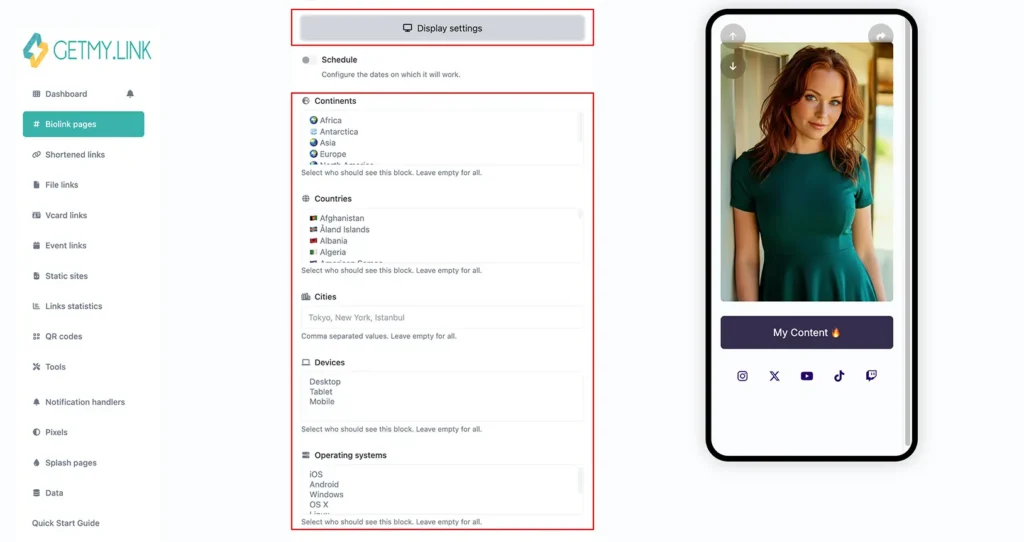
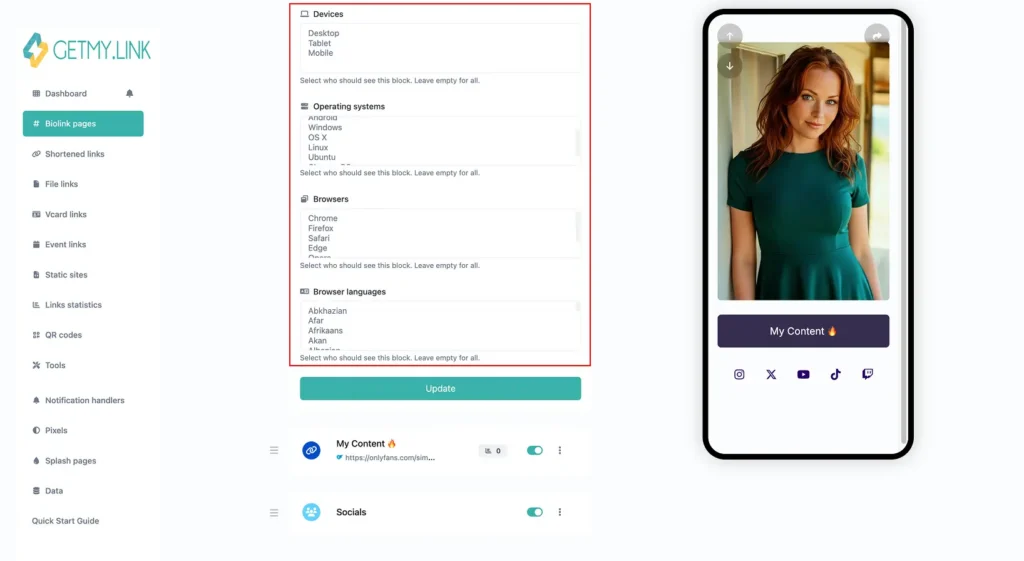
(create smart short links with targeting, scheduling, and deep linking)
- Open Instagram, TikTok, X (Twitter), or Reddit directly in their mobile apps — boosting engagement and follow-through vs opening in browser where fans may be logged out.
- A/B test two different call-to-actions — such as “📩 Subscribe and DM me for a free hot pic” vs “🎁 Subscribe now and get 3 days full free trial” — and track which gets more clicks or conversions.
- Schedule links to expire or activate automatically — ideal for flash sales, countdown promos, or trial offers that run for a limited time.
These are great for use in DMs, tweets, or promo campaigns. Each link tracks its own performance, so you know exactly what’s working.
Built-in Analytics
Every link and Biolink page comes with built-in analytics:
- How many people clicked.
- Where they came from.
- What device they used.
- Which buttons got the most attention.
This lets you optimize your page. If 90% of your clicks go to OnlyFans and almost no one taps your Fansly link, you now know it’s time to drop one of them and focus your energy where your fans actually go.
Tracking Pixels
Add your Facebook, TikTok, Google, or Snapchat pixel to your Biolink page. That means:
- You can retarget fans who clicked but didn’t subscribe.
- Build ad audiences from visitors (even if they didn’t follow you).
- Track conversions across traffic sources.
For creators who run paid ads or plan to start, this is a powerful upgrade.
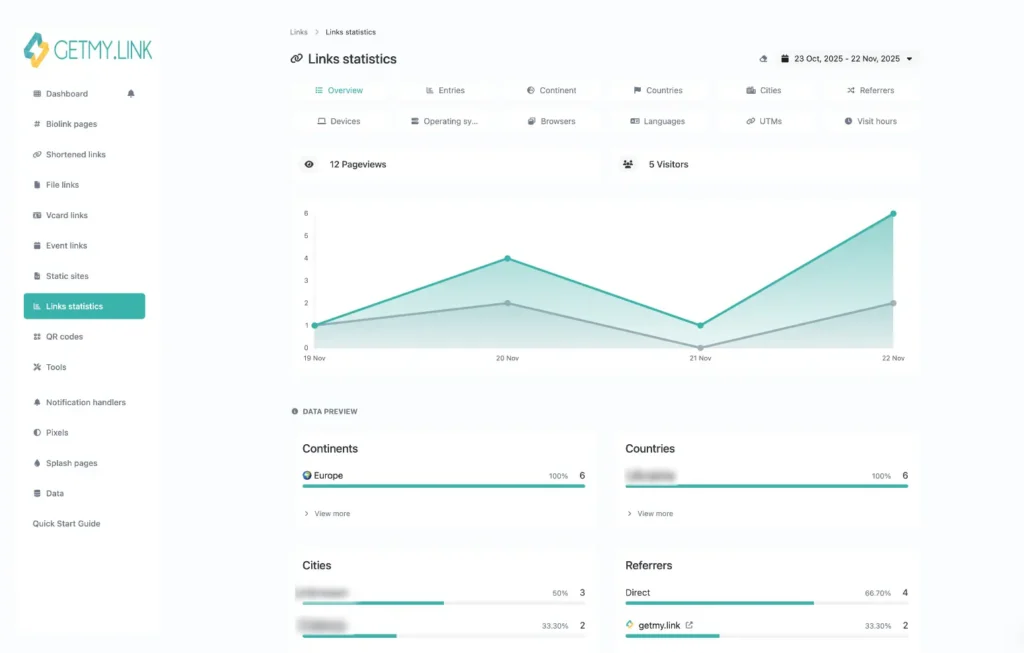
(view detailed analytics to see what content converts best)
Keeping It Safe and In Control
One of the biggest frustrations for adult creators is feeling like your links — and your income — are always at risk.
Platforms remove bios. Links stop working. Accounts get flagged just for mentioning adult content.
GetMy.Link puts you back in control. You decide what fans see, how they see it, and when. No bots deciding what’s “appropriate”. No sudden takedowns because your content is spicy.
Here’s how creators protect themselves using built-in features:
- 18+ Warning (Optional): Add a simple age confirmation screen before anyone sees your links. Use it when needed — or keep things open, depending on your goals.
- Password Protection: Lock individual links or entire pages. Share passwords with paid subs or VIP fans for exclusive content drops.
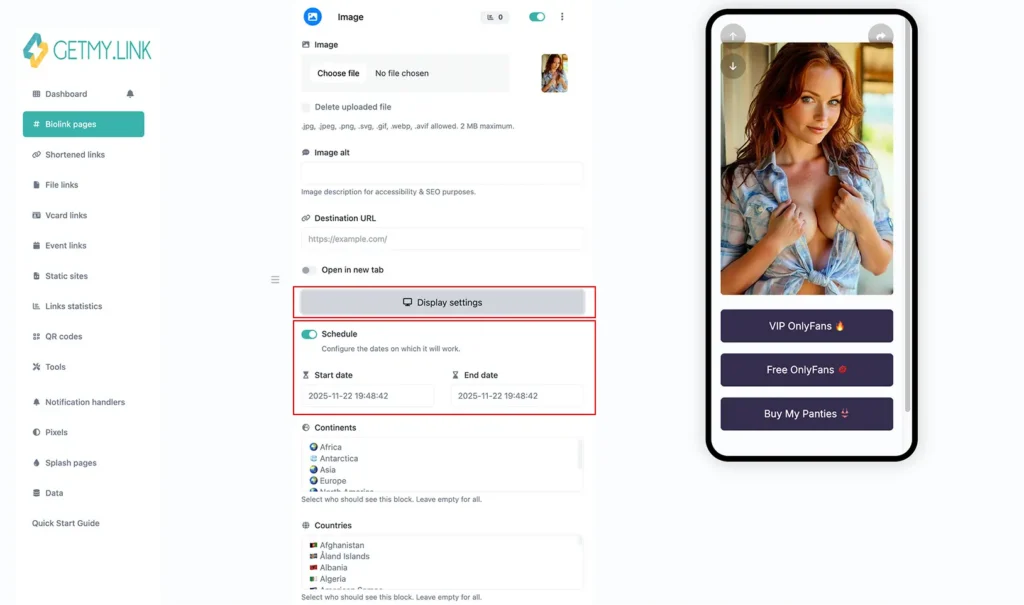
- Timed Content: Schedule links to appear and disappear automatically. Great for flash offers, limited-time trials, or rotating promotions.
- No Forced Branding: Unlike other bio tools, GetMy.Link doesn’t slap its logo all over your page. It looks like your own mini-site — and that builds trust.
- Safe for Social: With the right setup (neutral thumbnails, no NSFW language), your page stays accessible from Instagram, TikTok, or anywhere else you promote.
When you’re not fighting link bans, algorithm strikes, or shadowbans, you can actually focus on what matters — creating and converting.
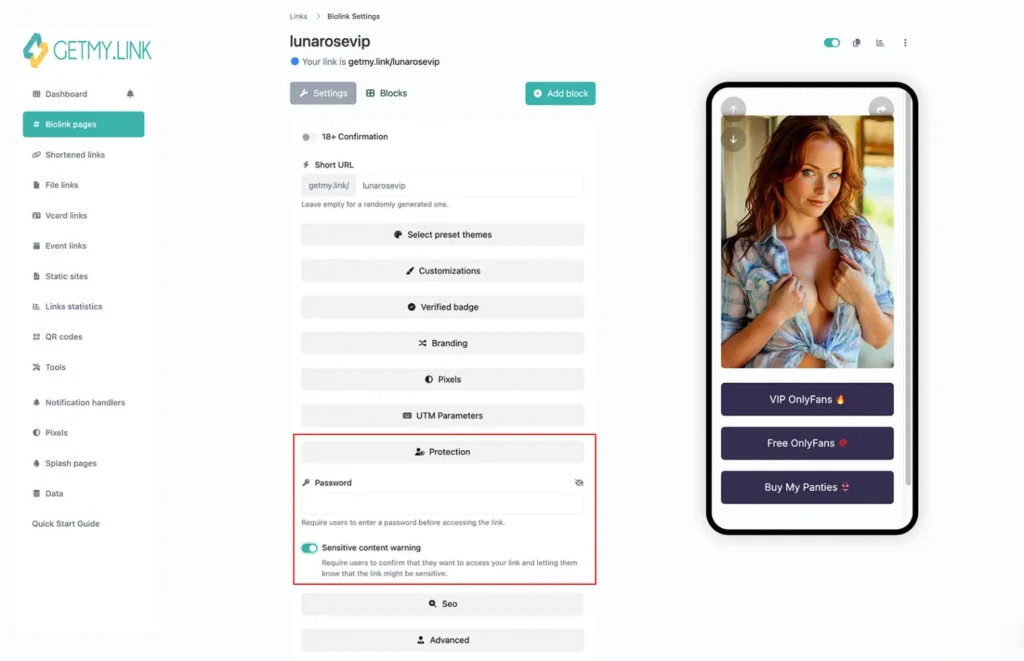
(control visibility and access with age gates, passwords, and scheduling options)
Ready to Take Control of Your Promotion?
Being an adult creator means doing it all — content, marketing, fan engagement, monetization. And the last thing you need is to waste energy on broken links, banned bios, or tools that weren’t built with you in mind.
Whether you’re focused on growing or already managing thousands of subscribers, GetMy.Link OnlyFans promotion gives you the tools to stay visible, compliant, and profitable — all from a single smart link.
- Share all your content safely in one place
- Drive fans to your most profitable platforms
- Track what converts — and drop what doesn’t
- Promote across TikTok, Instagram, Reddit, and beyond
- Protect your income with full control and no surprises
And it’s built with adult creators in mind — no restrictions, no judgment. Promote OnlyFans with GetMy.Link — one link that’s built for creators, safe for socials, and flexible enough to grow with you.
Use it for free. Stay flexible. Take back control of your promotion.