Creator growth doesn’t happen in a vacuum anymore. Algorithms are fickle, timelines are noisy, and reach is never guaranteed. But one thing still works – people trust people they already follow. That’s why collaborations and cross-promotion are some of the most effective ways to grow as a creator today.
When two creators team up – whether for a joint livestream, shoutout swap, content bundle, or tour of each other’s audiences – they don’t just double their visibility. They share trust. Fans who already follow Creator A are far more likely to check out Creator B if there’s a personal connection between them.
This kind of exchange doesn’t have to be complicated. But it does have to be intentional.
And that’s where GetMy.Link comes in.
With GetMy.Link, creators can share each other’s content safely, track what’s actually working, and build long-term growth through smart collaboration – even if they’re in adult industries where most tools fall short.
This article breaks down how to use GetMy.Link’s features to collaborate, cross-promote, and grow – together.
Why Creator Collaborations Work (and Why Most Don’t)
Shoutouts are easy. Growth is not.
Most creators have tried “you tag me, I’ll tag you” style swaps – and walked away wondering if it made any difference. That’s because most cross-promotion fails when it’s unstructured: no plan, no tracking, no context for the audience.
But when collaboration is intentional and well-executed, it works. Really well.
Here’s why:
- You tap into a warm audience.
People trust recommendations from creators they already follow. That social proof is powerful. If someone your fans already like says “you should follow this person too”, odds are they’ll listen. - You keep fans engaged with fresh content.
Joint livestreams, collab photo sets, Q&As, or bundles – anything co-created keeps your feed interesting and your audience watching longer. - You build creator-to-creator trust.
Collaborations open doors. One small link swap can turn into long-term partnerships, multi-creator campaigns, or even group events. Growth becomes shared, not solo.
But for any of that to work, you need tools that support it – not block it.
GetMy.Link is built for that.
How GetMy.Link Makes Collaboration Actually Work
Let’s be real – most platforms don’t make it easy for creators to promote each other.
Instagram and TikTok both limit you to a single bio link – and they’re quick to flag, suppress, or outright remove anything that hints at adult content or external monetization. That makes cross-promotion tricky, especially when you’re trying to link to your own platforms and a collaborator’s at the same time.
That’s exactly why GetMy.Link exists: to give creators full control over how they share content, promote each other, and grow together – without getting blocked, censored, or punished.
Here’s what GetMy.Link unlocks for collaborations:
- Unlimited links on one clean page – feature your content and your collaborator’s side by side
- Adult-friendly platform – link to OF, Fansly, or collab content with zero filters or takedowns
- Custom branding – keep your look consistent while highlighting partners
- Link analytics – track clicks, referrers, and real impact from every shoutout or campaign
- Short URLs, QR codes & splash pages – so your collab promos work everywhere, even off-platform
- Completely free – with extremely generous limits (seriously, they’ll cover everything you need)
Whether you’re doing a one-off promo or building an ongoing partnership, GetMy.Link gives you the tools to do it properly – and the numbers to know what’s working.
Set Up Your Bio Page for Collab Mode
Your GetMy.Link page isn’t just for listing your own content – it’s also a powerful space to showcase partnerships.
You can turn any part of your bio page into a mini spotlight for a collaborator, a joint promo, or a shared campaign. Here’s how:
- Add a “Featured Creator” section.
Use headings and layout blocks to create a section that introduces your collab. For example:
“🔥 This Month’s Collab: @JaneDoe – Check out our spicy new drop 👇”
Then link directly to their GetMy.Link, OnlyFans, social, or wherever the collab lives. - Make it fit your aesthetic.
Customize background, fonts, and colors to keep your page on-brand. You can even include an image or thumbnail (like a teaser from your collab content) to visually highlight the partner – it looks intentional, not like a random extra link. - Keep your own links in view.
Don’t just send fans to your collaborator and hope they come back. Make sure your own links stay easy to find – place them above or next to the collab section, so fans can follow both of you in one visit. - Schedule it in and rotate later.
Running the promo for a week? Use page scheduling tools or simply re-order your links after the campaign wraps. You can feature one partner this week, another next – all from the same page. - Zero censorship.
Unlike other link tools, you can safely link to adult platforms, spicy content, or VIP bundles. No flags. No shadowbans. Just clean, clickable links that take fans exactly where you want.
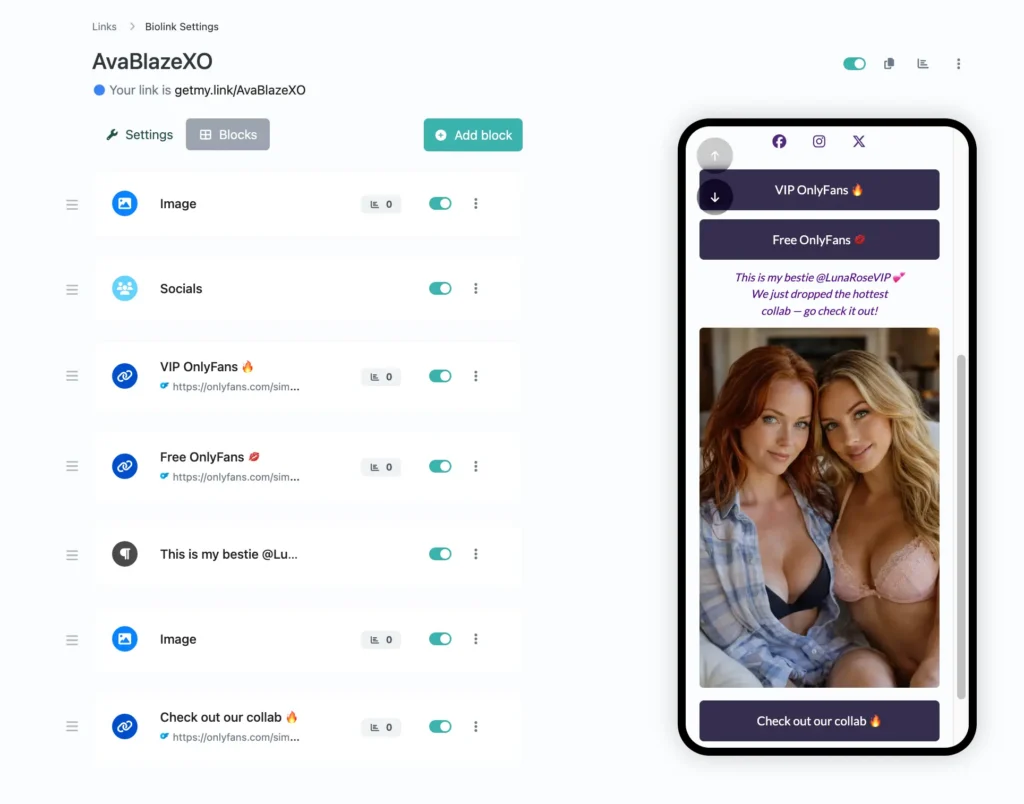
(Screenshot of a GetMy.Link biolink page: a collab preview with photo, personal invite text, and a call-to-action button linking to the joint content.)
Create Short Links for Every Collab (and Track Results)
Shoutouts are great – but if you’re not tracking clicks, you’re flying blind.
With GetMy.Link, you can turn any link (like your collaborator’s profile, content bundle, or joint video) into a clean, trackable short link. It’s the easiest way to keep your collabs organized and know what’s actually working.
Here’s how to use short links in your partnerships:
- Make it clean, branded, and clickable.
Instead of pasting a long messy URL, create something like getmy.link/janedoe or getmy.link/summerbundle – short, readable, and easy to drop in DMs, captions, or Stories. - See what’s working (and what’s not).
Every short link comes with built-in analytics: number of clicks, devices used, traffic sources, locations, and more. You’ll know exactly how many fans clicked your shoutout or visited your partner’s page – no guessing. - Use one link per partner.
Create a unique short link for each collab you do. That way, you can track each campaign separately – and see which partners or promos drove real traffic. - Set time limits or rotate links.
Promoting a 3-day drop or limited collab? You can set short links to auto-expire after a date. You can also rotate multiple destinations behind one link (A/B style), or show different links by device or geo if needed.
Bottom line: every collab deserves its own short link. It keeps your promos clean, trackable, and super easy to manage.
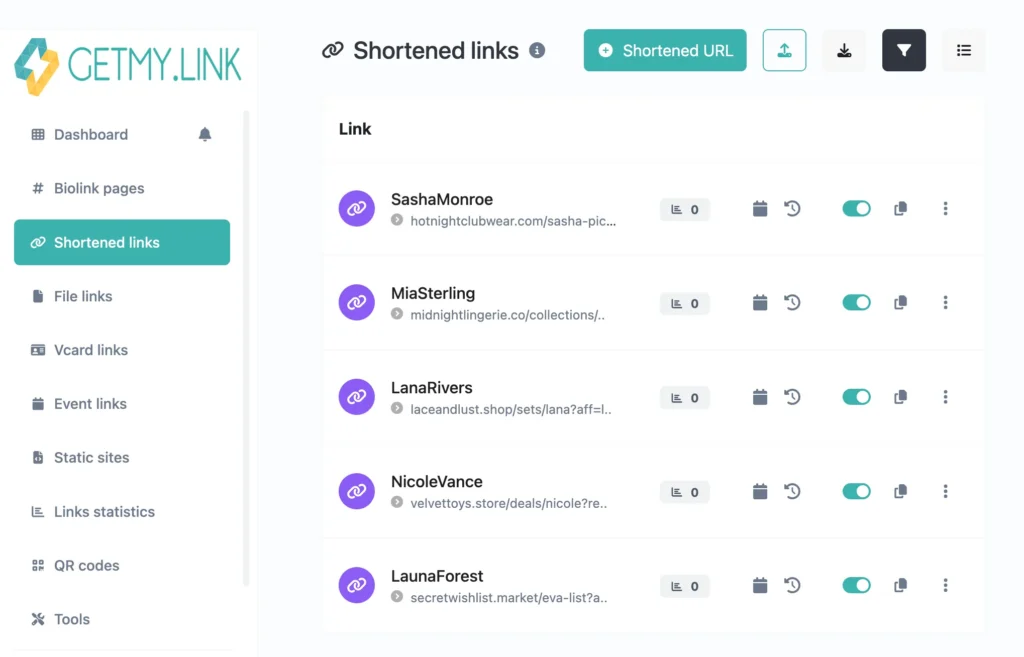
(Screenshot of organized short links on GetMy.Link — each collab with a different creator or brand gets its own tracked link for clean analytics and easy management.)
Share Free Collab Content with File Links
Nothing drives clicks like a freebie. And when you collaborate with another creator, sharing something exclusive – even a small teaser – can spark serious interest from both your audiences.
GetMy.Link’s File Links make this ridiculously easy.
You can upload a file (photo, teaser clip, PDF, coupon code – whatever) and share it through a clean, direct download link. No ads, no logins, no shady file hosts. Just: click → download.
Here’s how creators use File Links in collabs:
- Drop a free teaser from your joint content.
Collaborated on a spicy photoset or short video? Give fans a taste – like a 30-second teaser or 2 images from the shoot. Upload it as a file link, add a “Free Download” button on your page, and watch curiosity drive clicks to the full version. - Swap freebies with your collab partner.
You post a file from their content (“Get 3 free pics from @JaneDoe”), and they post something from yours. It’s a win-win – fans get something new, and both of you get discovered by a fresh audience. - Use it in giveaways, promos, or bundles.
Teaming up for a promo? Offer a downloadable coupon, tip menu, or behind-the-scenes file – something fans only get if they engage with both of you. File links can be protected with passwords or set to expire after a few days. - Safe NSFW preview delivery.
Want to share an “uncensored preview” that platforms would never allow directly? Host it on GetMy.Link via a File Link. Then point fans there from your Stories or tweets – clean, fast, and fully under your control.
Best of all, File Links show you how many people downloaded – so you can measure interest and see which collabs really grabbed attention.
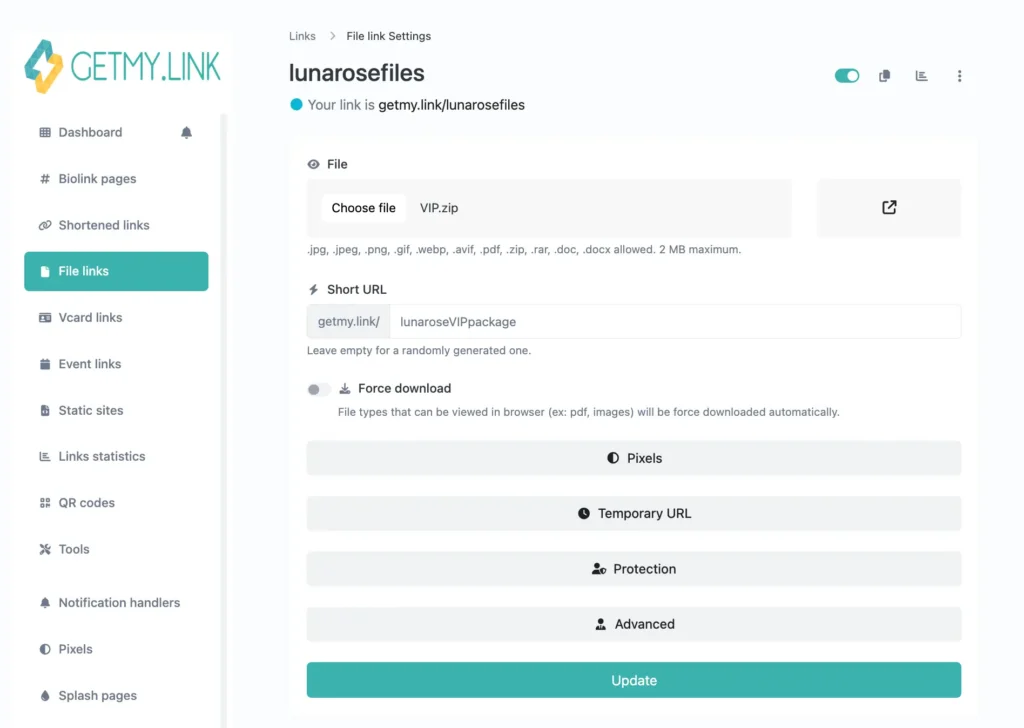
(File link creation screen in GetMy.Link showing a file upload, custom short URL, and advanced options like analytics pixels, temporary URL, password protection, and sensitive content splash page.)
Promote Joint Streams or Drops with Event Links
Doing a livestream together? Dropping a joint bundle on Friday? Don’t just tell your fans – organize it.
With GetMy.Link’s Event Links, you can create a clean, clickable info page for any collab happening – and share it across all your platforms.
Each Event Link includes:
- Title and time of your event
- Platform or location (Instagram Live, Fansly, Zoom, etc.)
- Description – add what it is, who’s involved, why fans should care
- Reminder option – fans can get a ping when it’s live
Here’s how to use it in a collab:
- Joint livestream or Q&A.
Make one shared event page that both of you promote. No more “check the bio” confusion – fans get all the info in one link. - Coordinated content drop.
Dropping exclusive content at the same time? Create an event link that says “🔥 Joint Drop: Friday @ 8PM – don’t miss it!” and link to both of your pages from there. - Exclusive access events.
Hosting something for VIP subs or private fans? Add a password or limit the Event Link’s visibility – only your paying audience gets in. - Build anticipation.
List multiple upcoming collabs as events. Let fans “subscribe” to your calendar – especially great if you’re doing a creator tour, challenge week, or rotating collabs.
Event Links make your collab feel real – not just another post. Fans show up because you gave them something solid to remember, click, and act on.
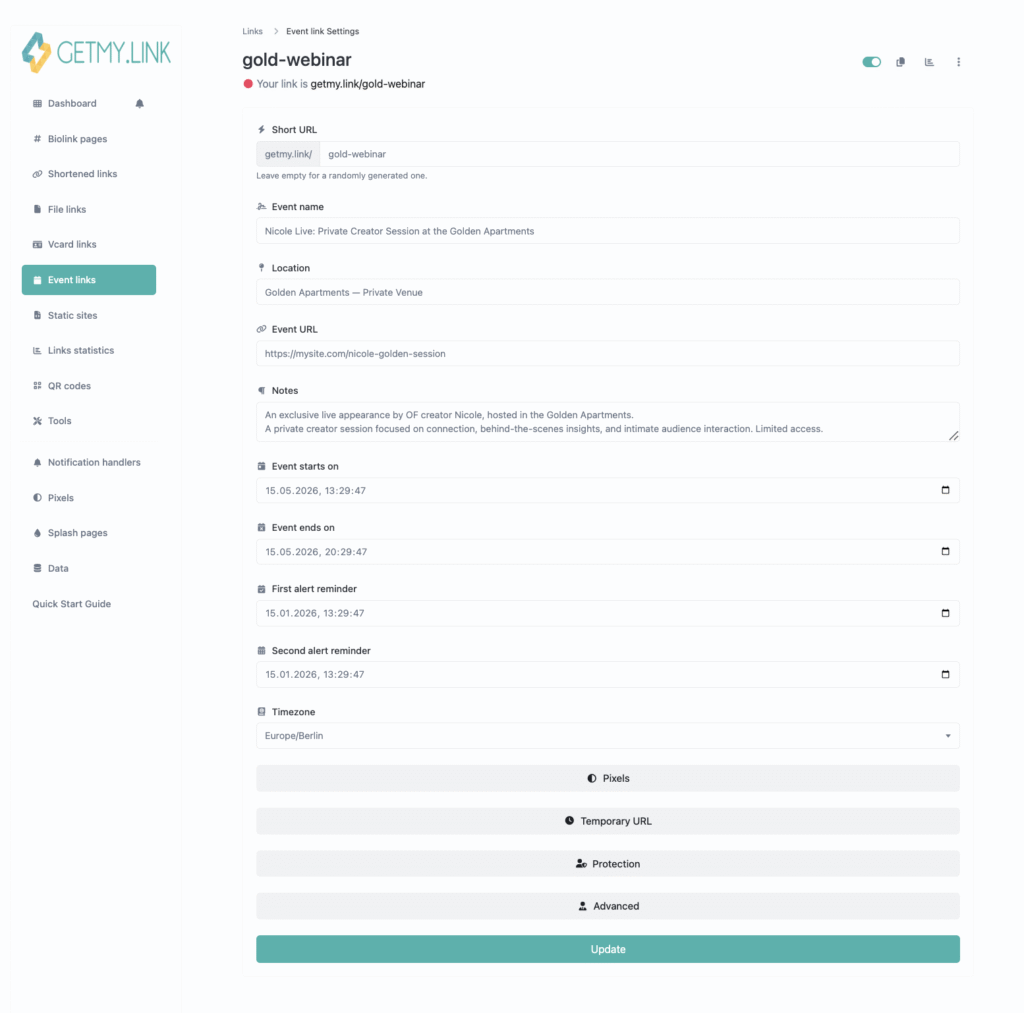
(GetMy.Link event link creation screen with a creator event fully set up.)
Use QR Codes to Share Collabs Anywhere
QR codes aren’t just for menus anymore. They’re one of the fastest ways to move fans from the real world (or video content) directly to your collab.
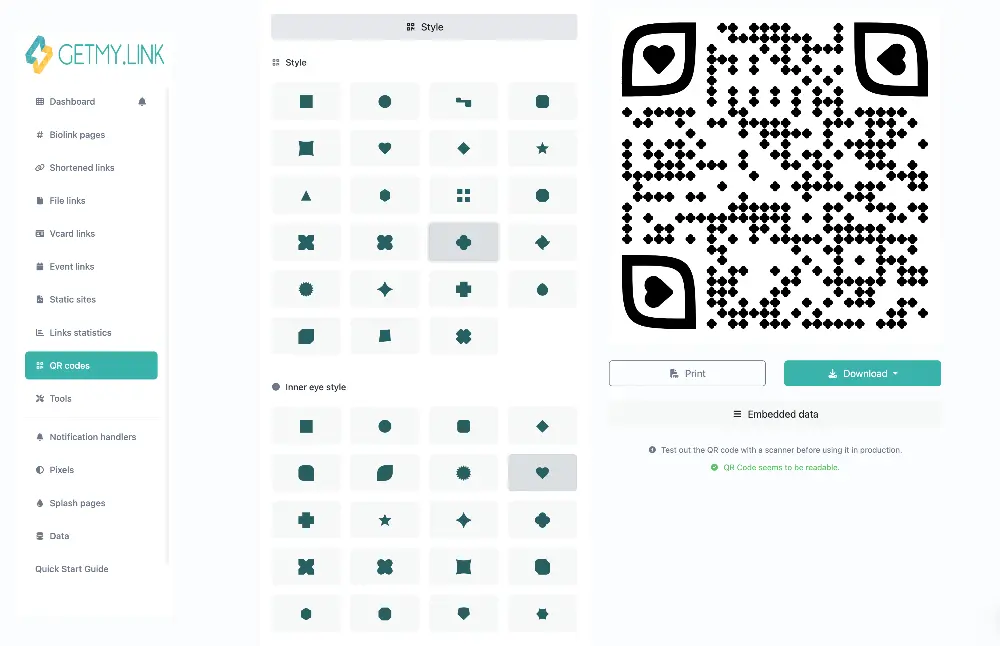
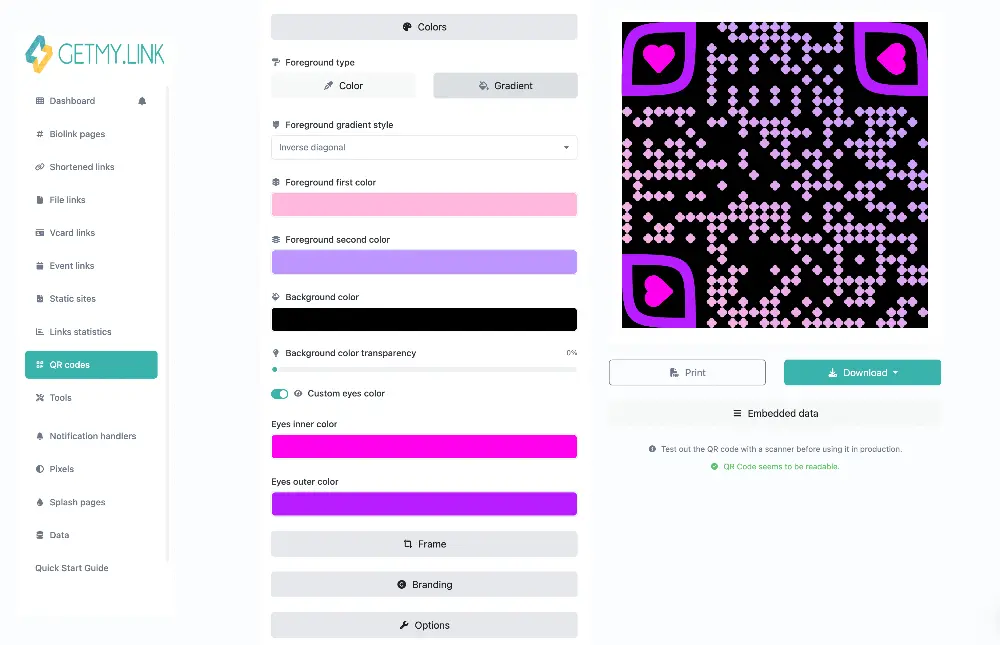
With GetMy.Link, you can generate a custom QR code for any of your links – short links, file drops, event pages, full bio – and brand it to match your vibe.
Here’s how creators are using QR codes in collabs:
- At parties, festivals, and other events.
Doing a joint meet & greet, creator party, or fan signing? Maybe you’re co-hosting a themed night, showing up at a creator lounge, or teaming up for a booth at a festival. Print a QR code that links to your shared collab page or bundle. Stick it on a poster, table sign – or even on the back of your phone case. Fans scan, and boom, they’re on your page. - In videos or live streams.
Pop a QR code onscreen that points to your collab: “Scan to get the exclusive drop!” Great for YouTube, Twitch, or cam shows – especially for viewers watching on a TV or second screen, so their phone is free to scan instantly. - On merch or stickers.
Print collab QR codes on shirts, flyers, or giveaway items. You can even rotate where they point (one week → teaser, next week → full drop), without reprinting anything.
And since QR codes in GetMy.Link are linked to your short links, you can still track clicks, change the destination later, or expire them when the campaign ends.
They’re fast, flexible, and super effective – especially when you’re collaborating in person or in video content.
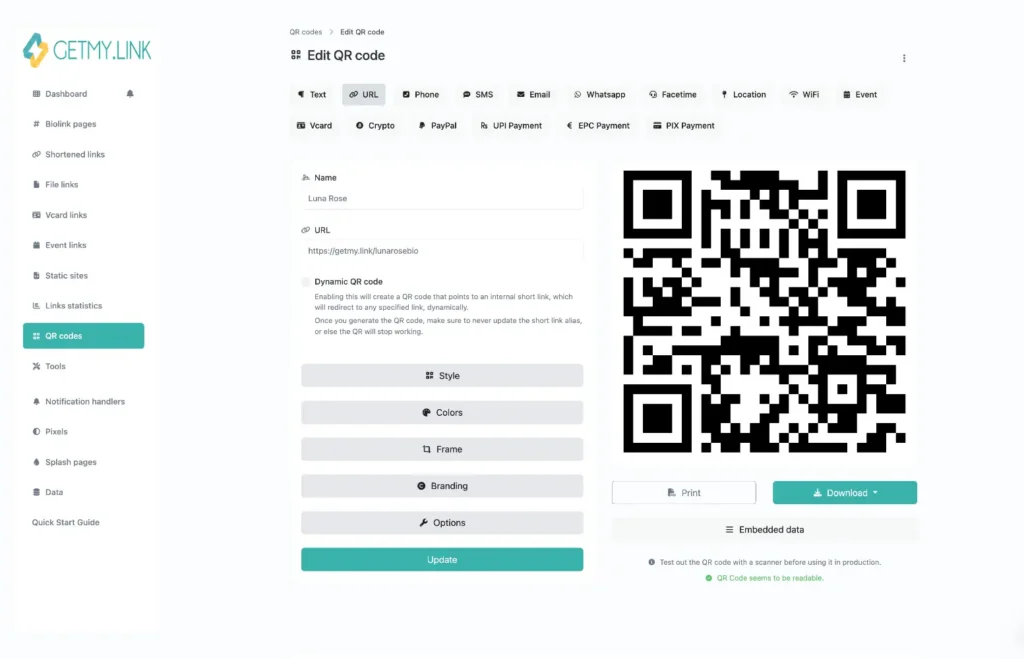
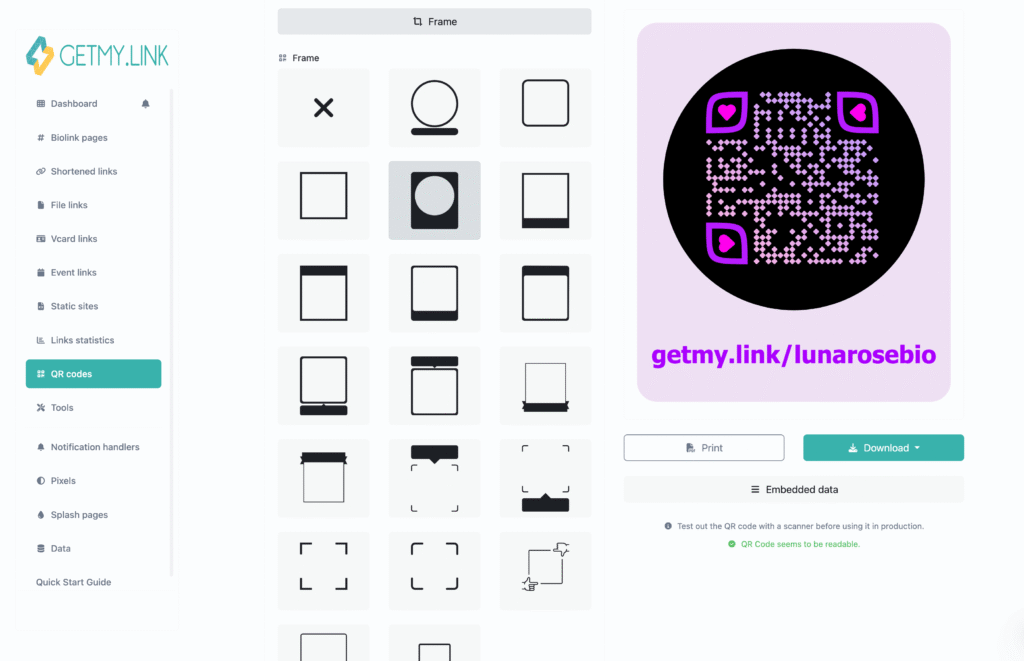
(QR code creation panel on GetMy.Link showing how to generate a custom code, choose the link destination, and customize the design to match your brand.)
Add a Personal Touch with Splash Pages
When you’re sending fans to a collaborator’s page, a little context goes a long way. GetMy.Link lets you add a custom splash page – a branded message that appears right before the redirect. Think of it as a soft intro: “You’re heading to my friend’s page – here’s why it’s worth the click”.
This works great in collabs because it:
- Builds trust and context.
Instead of a cold redirect, fans get a personal message from you:
“⚡ You’re about to visit @JaneDoe – she’s one of my fave creators and we just dropped something wild together. Click below to check it out!” - Keeps the vibe on-brand.
Use your own colors, image, and tone. That way, the handoff between your content and your partner’s feels seamless – not jarring. - Handles NSFW or age-restricted links.
You can add a content warning or “18+ only” message before redirecting to sensitive material. That keeps you in control – no auto-censorship from random platforms. - Boosts curiosity and clicks.
A quick teaser or CTA like “Want to see our unreleased shoot? Click to continue” makes fans more likely to follow through, not bounce.
Splash pages are optional, but they can add polish and personality to any collab link – especially when promoting paid or spicy content.
Create Extra Pages for Collabs, Networking, or Press
Not every link has to go to your main bio. With GetMy.Link, you can create multiple pages – and that opens up smart new ways to structure your collabs.
Here’s how creators are using extra pages strategically:
- Build a dedicated collab page.
Doing a full campaign with another creator? Create a separate page that combines both your bios, preview images, links to follow, and any joint offers. Share that one URL across both your socials – it’s cleaner, more focused, and feels like a true “us” page, not just one of you promoting the other. - Use vCards for pro contacts.
Need to share your info at a party, studio, or event? Set up a clean SFW page with your name, email, image, and portfolio links. It works like a digital business card – and you can add a “Save Contact” button so they can add you with one tap. Perfect for brands, press, or collaborators you meet in person. - Keep audiences separate.
Some creators split their bio links by audience – for example, one page for spicy content, another for mainstream followers. If you’re promoting a collab that’s a bit outside your usual style, or something SFW you want to pitch to new contacts, spin up a separate page just for that campaign. - Cross-link between them.
You can always link from your main bio to your “Collab Highlights” or “Professional Info” pages – and track clicks between them. That lets fans explore more if they want to, but keeps your main page focused.
Having multiple pages under one account means you don’t need to choose between promo, privacy, and professionalism – you can design each page for a specific purpose and switch between them as needed.
Track What Actually Worked (and Plan Smarter Next Time)
Great collabs aren’t just creative – they’re measurable.
With GetMy.Link’s built-in analytics, you can see exactly what kind of traffic your collaboration generated, which links performed best, and where to double down next time.
Here’s how to use it after any shoutout, bundle, or joint drop:
- See pageviews and click spikes.
After your partner tags you or posts a joint drop – check your GetMy.Link dashboard. You’ll likely see a traffic spike on that day. That’s instant proof the promo drove real visits. - Find your referrers.
Where did clicks come from? X/Twitter? Reddit? A Telegram post? GetMy.Link shows you traffic sources, so you can see which channels actually moved people – and which didn’t. - Check link-by-link performance.
Each link on your page has its own click stats. If you added a “Check out @JaneDoe” button, you’ll see exactly how many fans tapped it. Super helpful when comparing one collab to another. - Compare multiple campaigns.
If you’re running multiple GetMy.Link partnerships, use separate short links for each one – so you can compare what’s really driving clicks, growth, and engagement. - Add pixels or UTM tags.
If you’re more advanced, you can embed Facebook or TikTok pixels for retargeting – or use UTM codes to tag traffic from each collab. That’s optional, but great if you plan to run paid promos later.
And remember: even if a collab didn’t bring massive traffic, your analytics will show you what did happen. That insight helps you tune your next one – whether it’s choosing a better fit, tweaking the offer, or posting at a better time.
Leave a Reply