There was a time when handing someone a paper business card felt like the professional thing to do. But in 2025, that small rectangle is starting to feel more like a relic than a tool.
Let’s face it: most paper cards end up tossed in a drawer, lost in a bag, or forgotten entirely. They’re easy to misplace, hard to update, and once printed — they’re set in stone. In a world where everything moves fast and online, static contact info just doesn’t cut it anymore.
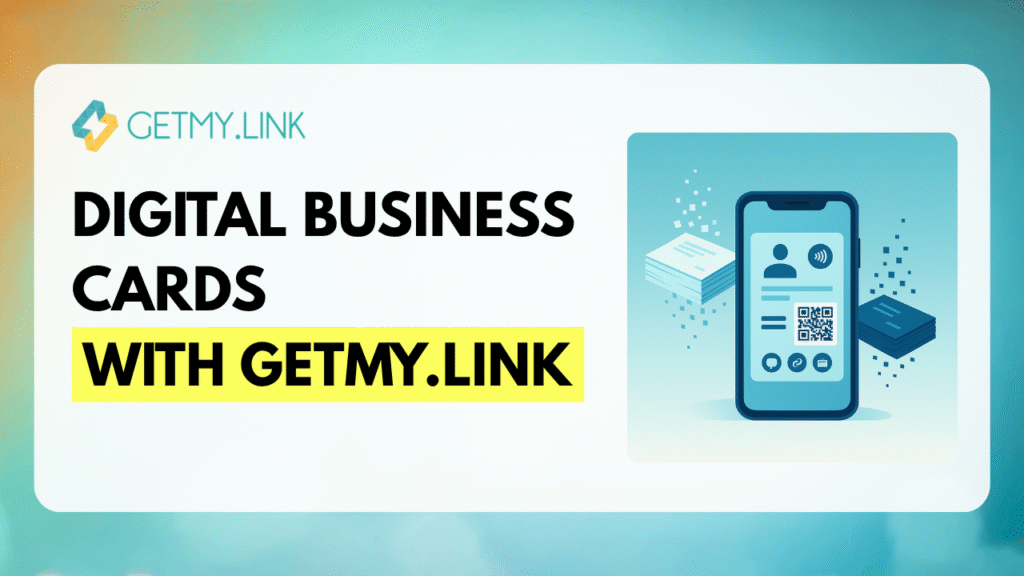
That’s why digital business cards are taking over. They’re cleaner, smarter, and way more flexible. Whether you’re networking at a conference, hopping on a Zoom call, or sending a follow-up via email, a digital card lets you share everything — and update it anytime — with just one link.
And the best part? You don’t need to code, design, or download anything fancy. With tools like GetMy.Link, you can build a sleek, modern digital business card in minutes — complete with your links, socials, portfolio, and more.
Why Paper Business Cards Are Losing Relevance in 2025
They’ve been around forever — and for a long time, paper business cards got the job done. But today, they just can’t keep up.
They’re easy to lose. You meet someone, they hand you a card, and a few hours later… where did it go? Probably buried in a bag, sitting at the bottom of a drawer, or accidentally thrown away.
They’re hard to update. Got a new phone number? Changed your address? Updated your logo or branding? With paper cards, even a small change means tossing the old batch and paying to print a new one — every time.
They don’t track anything. You have no idea if the person actually looked you up, visited your site, or followed you on socials. It’s a dead-end piece of paper.
They aren’t built for the digital world. QR codes printed on cards help a little, but in the end, you’re still stuck with something static and disposable.
In 2025, professionals want something that’s flexible, interactive, and connected — something that keeps working even after that first handshake or message. That’s exactly what digital business cards are built for.
What Is a Digital Business Card and How Does It Work?
A digital business card is exactly what it sounds like — a modern, online version of your traditional card. But instead of a static piece of paper, it’s a smart, clickable, and updateable page that works anywhere your audience is.
It usually lives as a single link — something you can share in your Instagram bio, LinkedIn message, Zoom chat, WhatsApp profile, or even printed as a QR code or embedded in an NFC tag. One tap or click, and people get instant access to everything you want them to see.
A well-made digital card includes more than just your name and phone number. You can add your photo, job title, website, social profiles, booking links, portfolio, calendar, even a video intro. And if anything changes? Just update the info in seconds — no need to reprint anything.
With platforms like GetMy.Link, your digital business card becomes a mobile-friendly, branded mini-site that lives in your pocket and updates whenever you need it to.
Benefits of Digital Business Cards in 2025
Switching to a digital business card isn’t just trendy — it’s practical. In 2025, it solves problems that paper cards never could, while adding features that make networking smarter and more effective.
Always up to date. Change your number, launch a new product, or update your branding — no reprinting needed. You can edit your card anytime, and the link stays the same.
Works anywhere. Share your card in person or online — through a QR code, NFC tag, email signature, DM, or social bio. It adapts to how you connect.
Interactive, not static. Add videos, links to your work, contact buttons, booking forms, or even payment options. It’s not just a card — it’s a full experience.
Mobile-first and user-friendly. Everyone you meet already has a smartphone. A tap or click is all it takes to view your card — no apps or logins required.
Trackable and smart. Want to know if someone viewed your card or clicked your links? On GetMy.Link, you can connect tracking tools like pixels or UTM parameters to monitor traffic and see how people interact with your page.
(For step-by-step setup, check out our full platform guide on the blog.)
Eco-friendly and cost-effective. No paper waste, no reprints, no shipping. You create your card once, and that’s it — no stacks of outdated cards lying around.
In short: digital business cards save time, reduce clutter, and give you way more control over how you present yourself — and how people remember you.
Where and How to Use Your Digital Business Card
One of the biggest strengths of a digital business card is how flexible it is. You’re not limited to handing it out in person — you can share it anywhere, at any time, in ways that feel natural and frictionless.
At networking events and conferences. Add your QR code to your badge, use an NFC-enabled card, or just have your link ready to send via AirDrop or text. One tap or scan, and your full profile is in their phone.
In your email signature. Include your GetMy.Link card at the bottom of every email you send. It’s a clean, professional way to let people learn more about you — without adding clutter.
On social media profiles. Platforms like Instagram, LinkedIn, TikTok, Telegram, and WhatsApp usually allow just one clickable link. Use it well: link to your digital card and let people explore everything from there.
During virtual meetings. Drop your link in a Zoom chat, Google Meet, or Slack message. It saves time, looks polished, and helps people connect with you even after the call ends.
On printed materials. Add a QR code linked to your card on brochures, flyers, signage, or product packaging. It gives your audience a quick way to go from offline to online — without typing a thing.
Wherever you show up — in person or online — your digital business card is ready. No printing. No fumbling. No limits.
How to Create a Digital Business Card with GetMy.Link (Step by Step)
Setting up a digital business card might sound technical — but with GetMy.Link, it’s quick, intuitive, and doesn’t require any design or coding skills.
You’ll find a full platform guide on our blog that covers every feature in depth — and we highly recommend checking it out. It’s packed with powerful tools you’ll want to know about.
But to make things easier and more comfortable, we’ve pulled out the key steps right here — so you can quickly set up your Digital Business Card and start using it right away.
Create Your Biolink Page
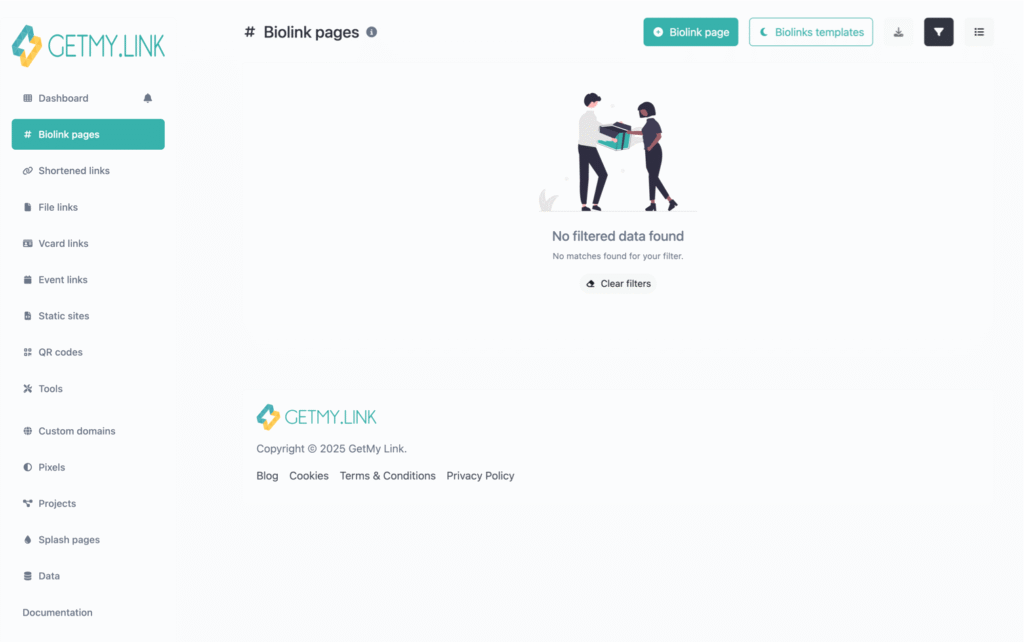
To get started, open the Biolink Pages tab in your GetMy.Link dashboard. Click + Create Biolink Page, then choose a short, memorable URL — this will be the link you’ll share with your network. You can also give your page a name to help organize it internally.
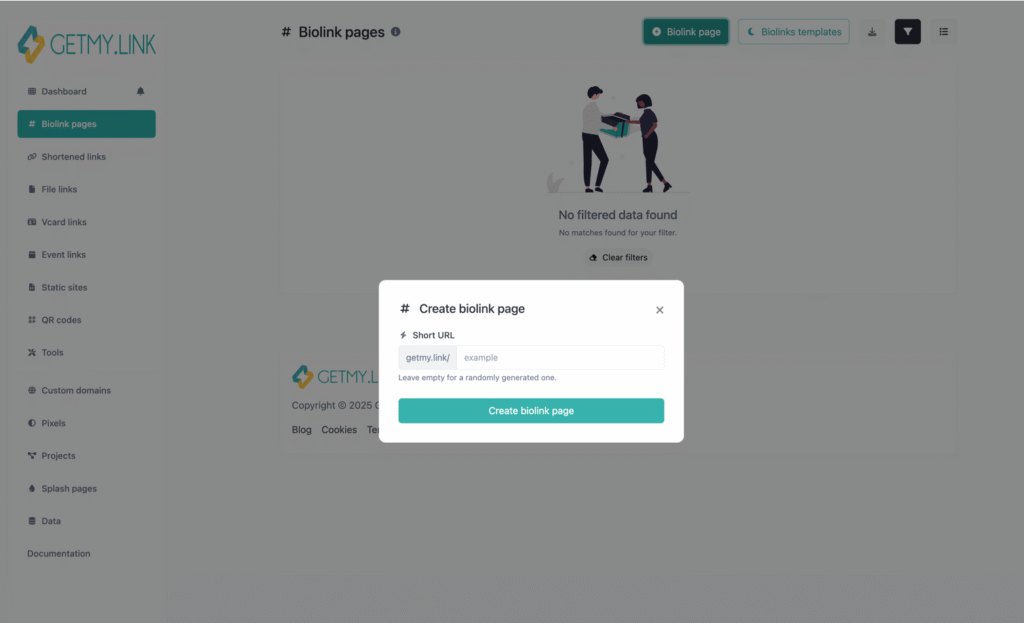
Once you create the page, you’ll land inside the visual editor. This is where the fun begins — you’ll build your digital business card block by block, with full control over layout, content, and design.
Add Content Blocks to Your Page
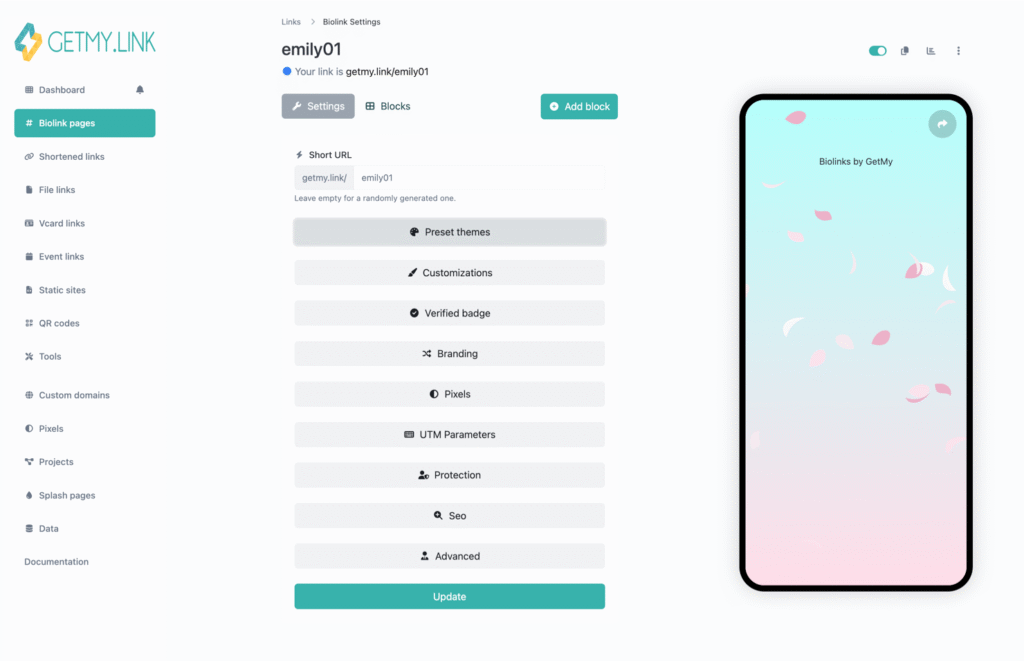
Your digital card is built with content blocks — and GetMy.Link gives you total freedom to mix and match them however you want. Just click Add block in the editor, and you’ll see a menu of options you can drop right onto your page. Each block appears instantly in the preview, so you always know how it looks on mobile.
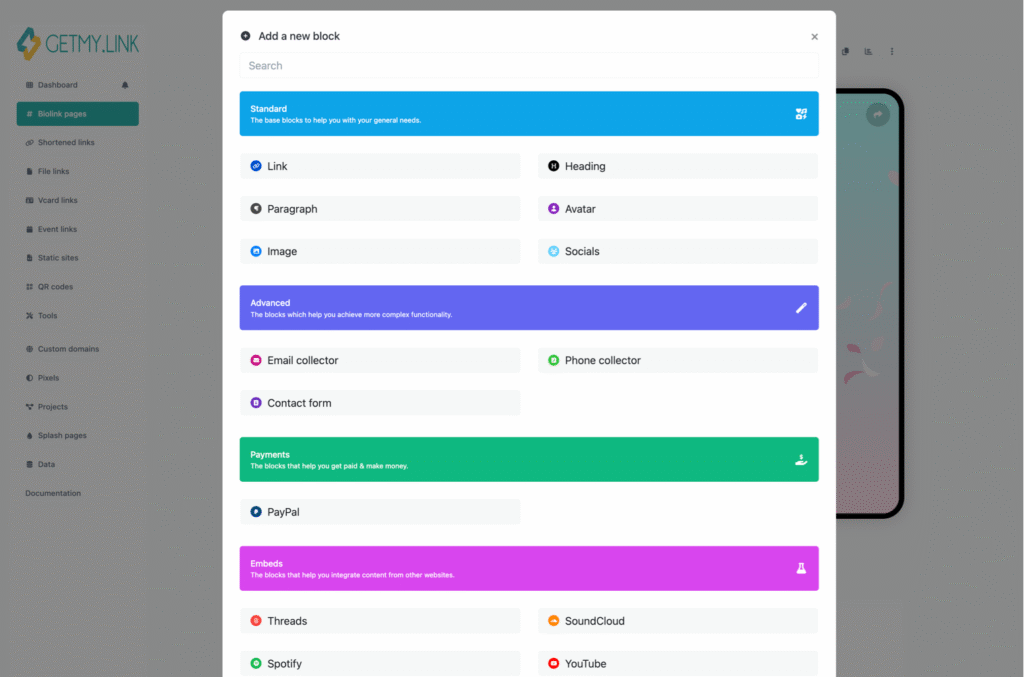
Here’s what you can include:
- Link buttons to send visitors to your website, store, blog, or landing page
- Headings to organize sections and highlight key info
- Paragraphs for short bios, taglines, or descriptions
- Avatars or logos to personalize the top of your page
- Images for banners, product shots, or visuals that represent your brand
- Social icons that connect directly to your Instagram, TikTok, YouTube, or other platforms
- Email and phone fields to collect contacts and build your list
- Contact forms for quick messages or client inquiries
- PayPal buttons to accept payments, tips, or donations directly
You’re in control of the layout and flow — build something as simple or rich as you want.
Themes and Backgrounds
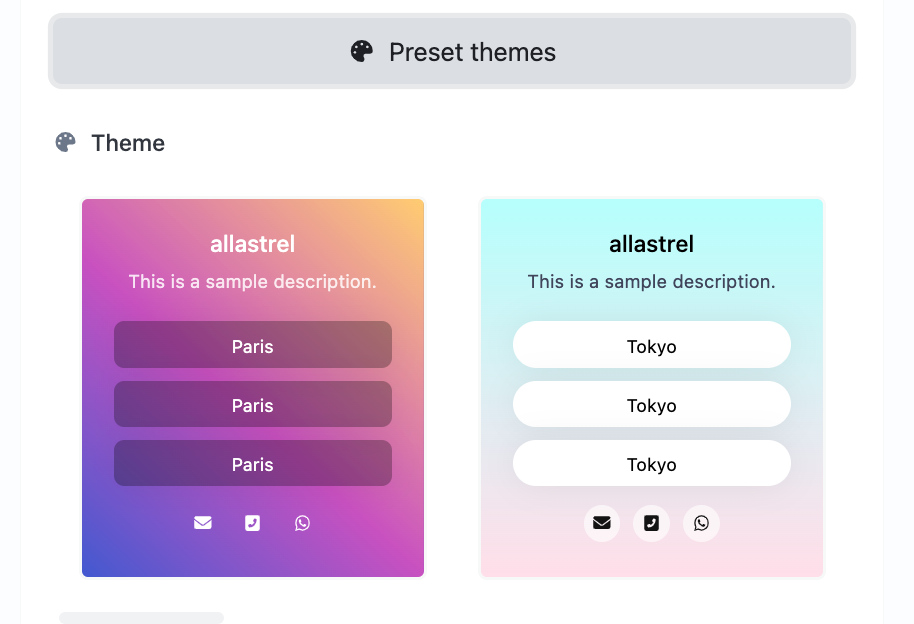
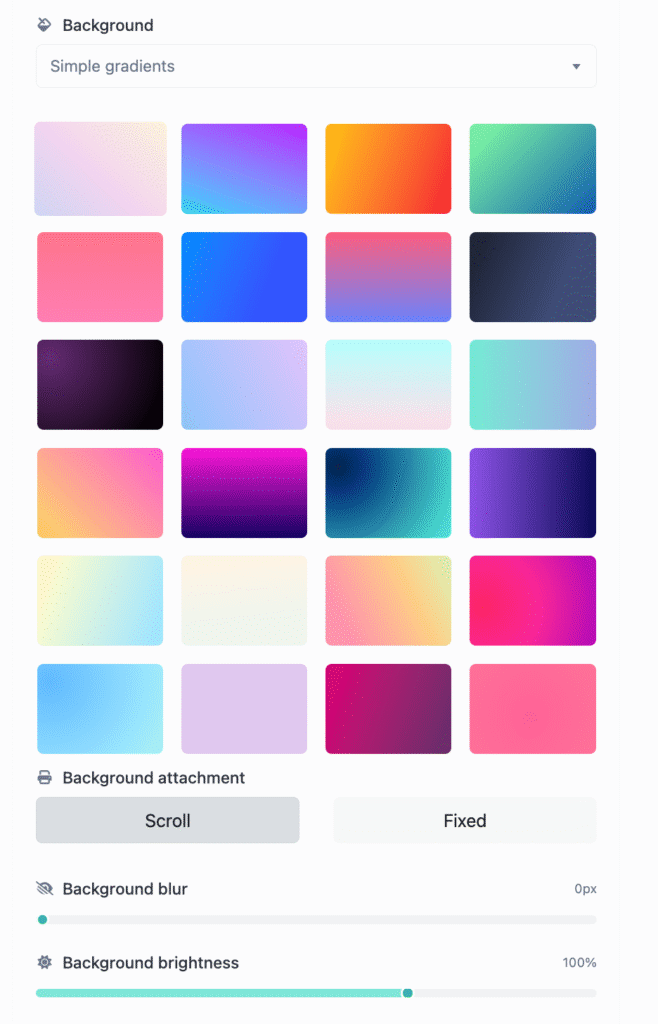
You can start with a ready-made theme or build your own from scratch. Choose from solid colors, soft gradients, or upload a custom background image. You can also adjust brightness, blur effects, and decide whether the background scrolls or stays fixed — perfect for setting the tone.
Fonts, Icons, and Layout
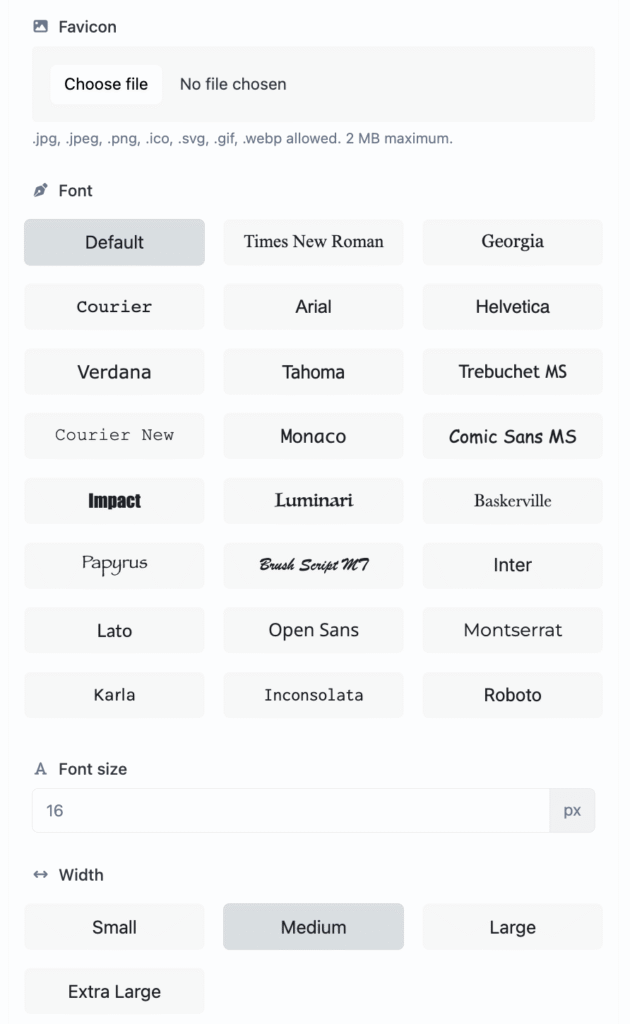
Pick a font that fits your voice — modern and clean, or bold and playful. Adjust font size for mobile and desktop, tweak spacing between sections, and fine-tune the overall width of the page. You can even add hover animations to your buttons for a smoother feel.
Also, upload a favicon — that little icon in the browser tab — to give your card a more polished, professional look.
Verified Badge
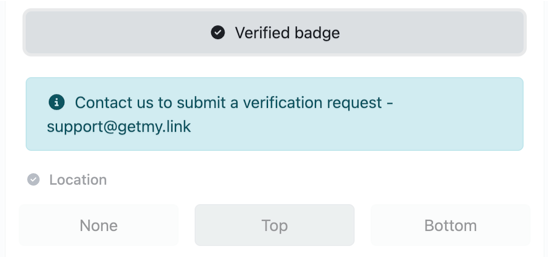
If you’re verified on social platforms, you can show that status directly on your card. Just toggle the verified badge on, and choose to display it at the top or bottom of the page.
Add Personal Branding (Optional)
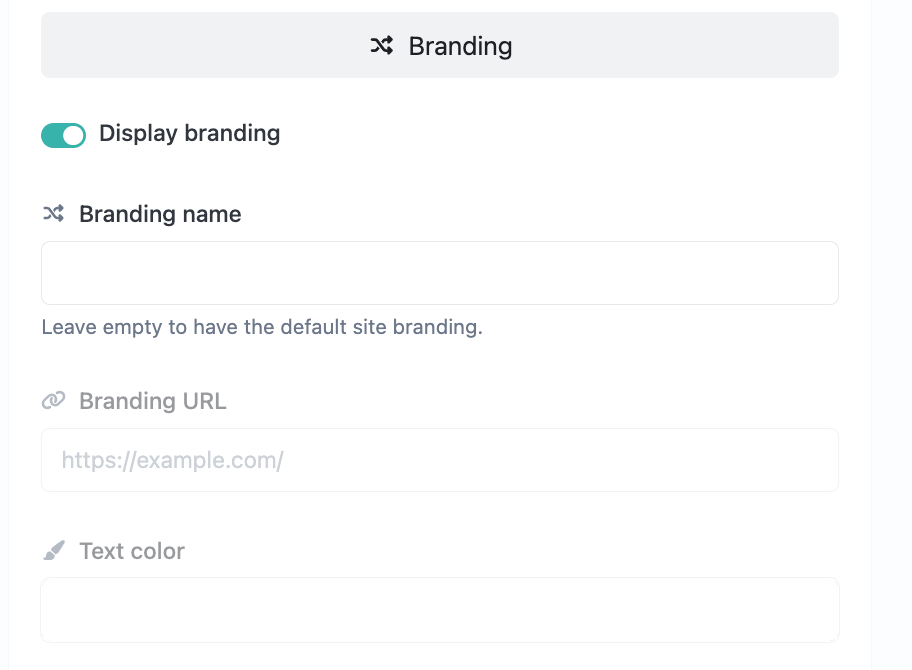
To personalize your footer, turn on the branding option. Add your name, company, or website link, and choose a color that matches your style. It’s a subtle touch that helps reinforce who you are — especially useful for entrepreneurs and creators building a recognizable brand.
Pixels
Want to understand how people interact with your card? On GetMy.Link, you can connect popular marketing pixels from platforms like Facebook, Google, or TikTok. This lets you measure clicks and run retargeting campaigns if needed. All you have to do is create a new pixel, select the platform, and paste in your Pixel ID.
UTM Parameters
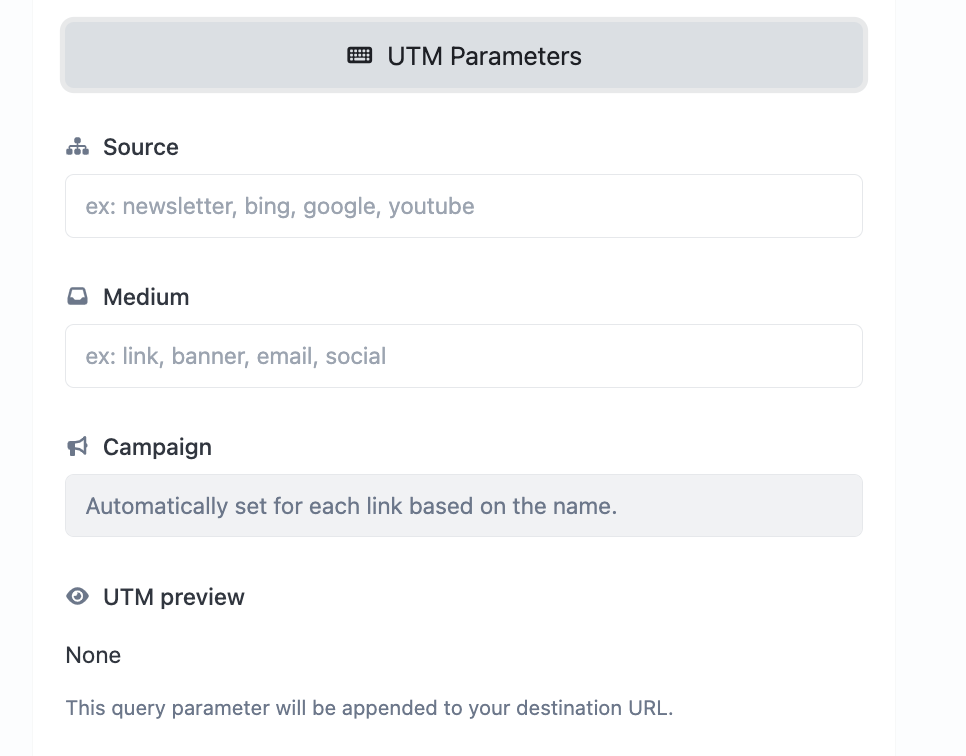
You can also add UTM parameters to every link — tracking where your visitors are coming from, which campaign brought them in, and what platforms are working best. It’s a small step that unlocks powerful insights in tools like Google Analytics.
Protection Settings
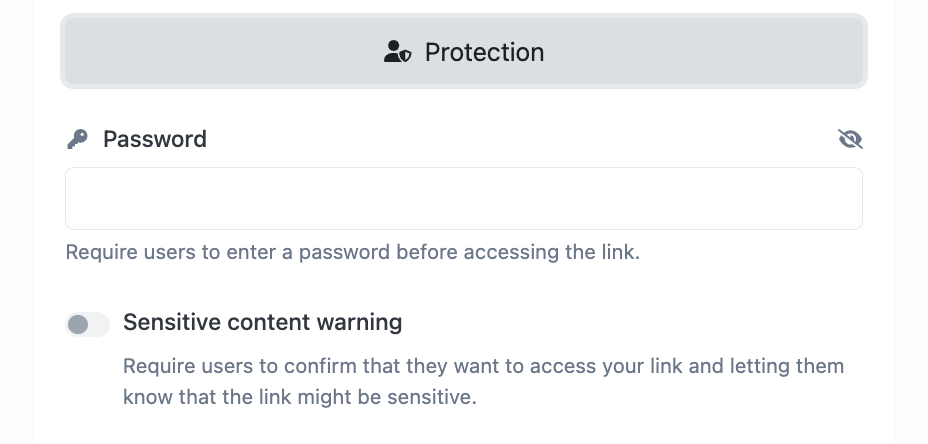
If you want more control over who sees your digital card, you can enable password protection or a content warning (for sensitive or NSFW material). Visitors will need to confirm or enter a password before the page is visible.
SEO Settings
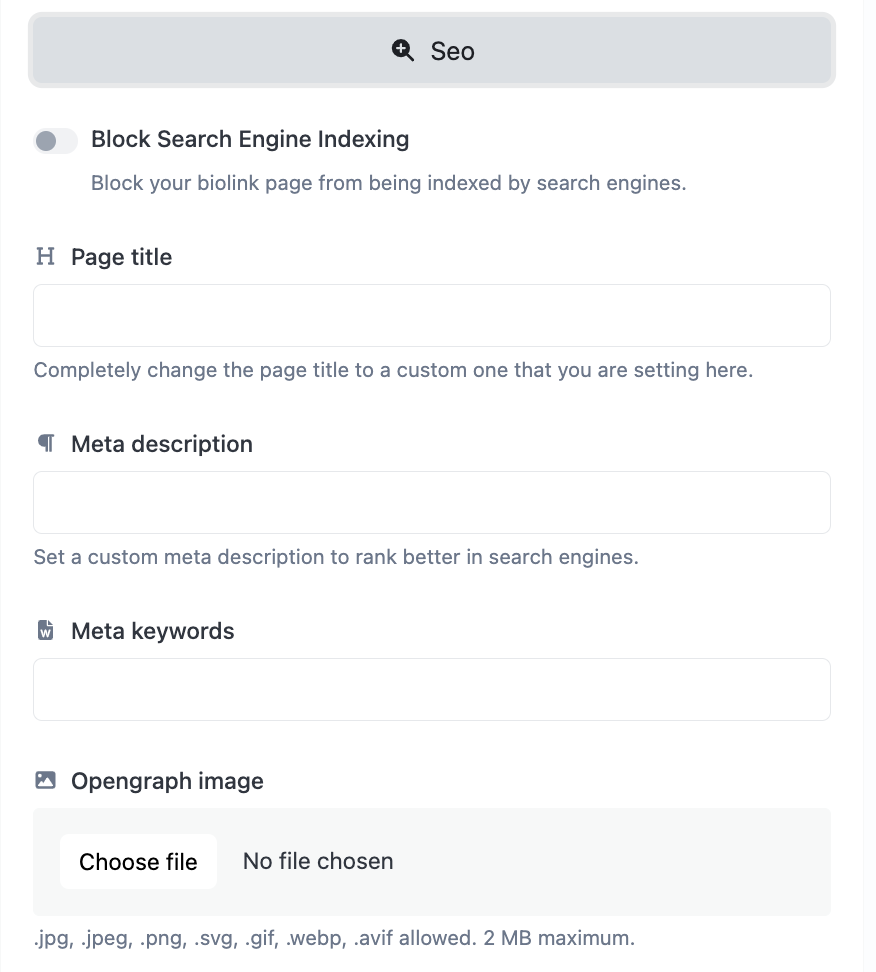
Want your digital card to appear in search results? You can edit:
- The page title (what shows in the browser tab)
- A meta description (used by Google)
- Keywords
- An OpenGraph image (what appears when you share the link on social)
You can also block search engines from indexing the page with a simple toggle.
Advanced Options
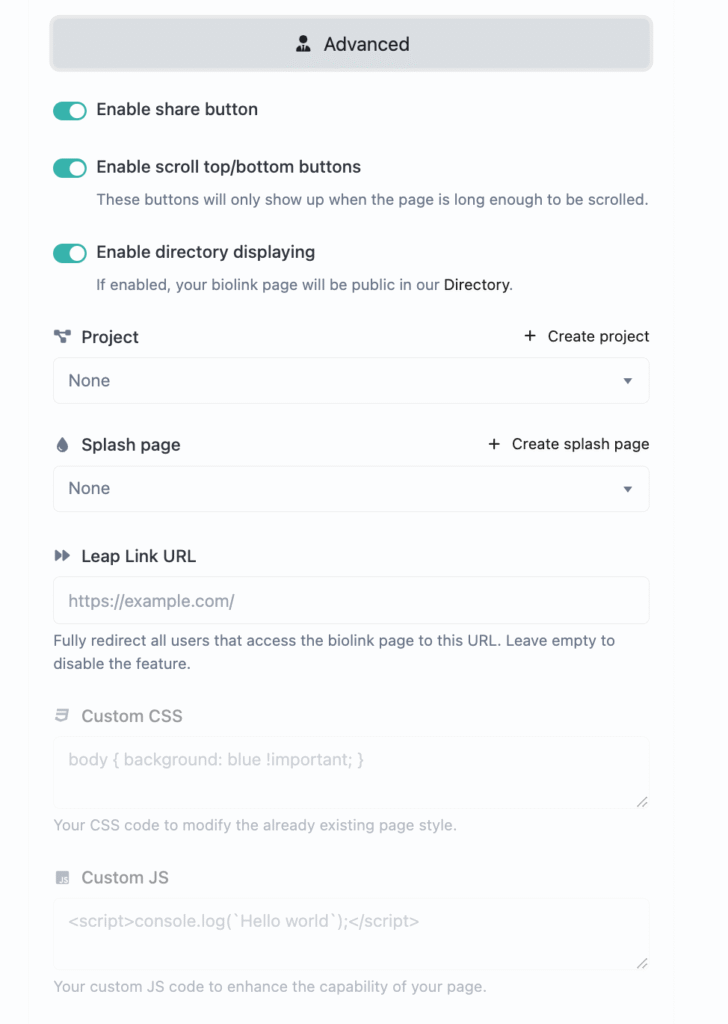
Power users will love the flexibility in the Advanced Options tab:
- Turn on share buttons
- Enable scroll-to-top/bottom helpers for long pages
- Display your card publicly in the GetMy.Link Directory (for discoverability)
- Link your card to a Project or Splash Page for better organization
- Use the Leap Link option to redirect all traffic to another URL
- Add custom CSS or JavaScript for extra functionality, tracking, or styling
These tools are optional — but for freelancers, teams, or marketers managing multiple pages, they open up a whole new level of control.
Creating your digital business card with GetMy.Link is more than just filling in contact info — it’s about building a smart, branded space that grows with you. Share your card once or hundreds of times — it’s designed to adapt, impress, and perform.
Once it’s live, you can update it anytime without changing the link — and start using it everywhere your network finds you.
Real-World Examples: Who’s Using Digital Business Cards in 2025
Digital business cards aren’t just for tech startups — they’re becoming a go-to tool for creatives, consultants, and solopreneurs across all industries. Here are three real-world ways people are using smart links, QR codes, and NFC tech to connect, promote, and grow.
A Street Musician with a Smart Shirt
On a bustling city street, a street performer belts out soulful covers to a crowd of passersby. But instead of handing out flyers or shouting his Instagram handle, he’s wearing a simple T-shirt with a bold QR code on the front. Scan it, and you’re instantly taken to his GetMy.Link page — a clean, mobile-friendly hub with links to his Spotify, TikTok, YouTube, and donation platforms. Fans can follow him, stream his originals, or tip him on the spot. It’s effortless exposure — no paper needed.
A Growth Coach at a Networking Event
At a high-profile personal development mixer — one of those events designed for serious networking and high-value connections — a growth consultant makes a memorable impression. When it’s time to share contact info, he doesn’t fumble for paper cards. Instead, he taps a sleek, reusable NFC business card against a new acquaintance’s phone. Instantly, his fully branded GetMy.Link biolink page opens — showcasing his coaching services, booking calendar, testimonials, and social proof in one place. It’s smooth, professional, and hard to forget.
A Solo Host with a Creative Rental Twist
One independent host transformed a single apartment into a themed short-term rental — and elevated the guest experience using smart tech. Right as guests walk in, they’re invited to scan an NFC tag placed by the entrance. It opens a custom GetMy.Link page featuring everything they might need during their stay: local recommendations, upgrade offers, personalized services, and even promo codes for extras. It’s a sleek, professional touch that builds trust and makes the experience unforgettable — all without printing a single flyer.
These are just a few creative ways people are using digital cards, smart links, QR codes, and NFC tech in the real world. With a little imagination and an entrepreneurial mindset, tools like these can give your brand, business, or passion project a serious boost.
Why Digital Business Cards Are the Smart Choice for 2025 and Beyond
The way people connect is changing — fast. Paper cards might still exist, but they’re no longer the default. In 2025, networking happens across dozens of platforms, devices, and touchpoints — and a static card just can’t keep up.
That’s where digital business cards shine.
They’re flexible. One link gives access to everything: your contact info, your socials, your site, your content. You don’t need to print, reprint, or carry stacks of anything — just share your link wherever you are.
They’re consistent. Whether someone clicks from your Instagram bio, taps an NFC card, or scans a QR code — they land on the same page. It’s a smooth, unified experience.
They’re future-proof. Add new links, update your job title, refresh your photo, or change your brand colors — and your digital card updates instantly. No redesign. No reprint. No hassle.
And they’re built to grow with you. From solo creators and growing startups to global teams, your digital card serves as a centralized, always-on hub — ready to support you at every stage of growth.
A digital business card isn’t just a replacement — it’s a smarter, cleaner, and more dynamic way to share who you are and what you do.
Conclusion
The way we share our professional identity has changed — and digital business cards are leading that shift. They’re not just more convenient than paper — they’re faster, cleaner, and built for how real networking works today.
With GetMy.Link, creating your own digital card takes just minutes. You’ll have a branded, mobile-friendly page that’s easy to share, easy to update, and powerful enough to grow with your career or business.
You can connect at events, online, or anywhere in between — and a smart digital card keeps everything in one place, always ready when you need it.
Make the switch — and make every connection count.