Marketing channels multiply every year.
Control over conversion rarely keeps up.
Traffic comes from everywhere – Instagram bios, paid ads, email campaigns, YouTube descriptions, QR codes on packaging. But too often, those clicks land on pages that aren’t structured for action. There’s no clear priority. No tracking clarity. No unified view of performance.
And on many social platforms, you’re limited to a single link.
That’s where GetMy.Link becomes more than a simple link-in-bio tool. It functions as a centralized business gateway – a controlled entry point where you decide what visitors see first, what action they take next, and how their journey is measured.
Instead of scattering traffic across disconnected URLs, you build a structured hub. Instead of guessing which channel works best, you track clicks, devices, and sources. Instead of creating separate landing pages for every small campaign, you manage everything from one dashboard.
This guide explains how to use GetMy.Link for business – clearly, practically, and with a focus on measurable results.
What GetMy.Link Is – From a Business Perspective
From the outside, GetMy.Link can look like a typical “link in bio” tool. A simple page with buttons that redirect users somewhere else.
From a business perspective, it’s much more than that.
GetMy.Link works as a traffic control layer between your marketing channels and your final destination – whether that’s a product page, booking form, webinar registration, or sales funnel. Instead of sending visitors directly to scattered URLs, you route them through a structured, trackable environment that you control.
At its core, the platform combines several functions in one place:
- A customizable bio hub page
- Branded short links
- Dynamic QR codes
- Static landing pages
- File hosting
- Built-in analytics
- Tracking pixel integration
This matters for businesses because marketing rarely happens in one place. You might run paid ads, post organically on social media, collaborate with influencers, send newsletters, and print QR codes on physical materials – all at the same time.
Without structure, that traffic becomes fragmented.
With GetMy.Link, every campaign can be organized, monitored, and adjusted from one dashboard. You’re not just sharing links. You’re building a measurable entry system for your business.
Step 1: Building Your Business Hub Page
Your bio page is not a link collection.
It’s a decision page.
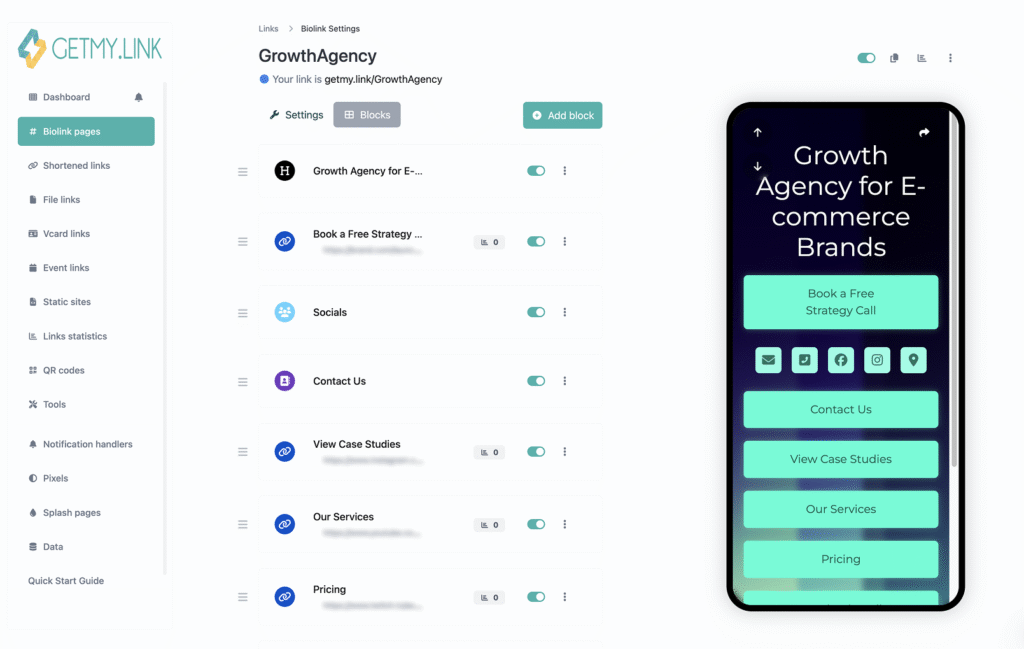
When someone clicks your GetMy.Link URL, they should immediately understand who you are, what you offer, and what they’re supposed to do next. That requires structure – not just buttons.
Start With One Primary Action
At the very top of your page, place your main conversion goal.
This could be:
- “Book a Free Consultation”
- “Shop New Collection”
- “Start Free Trial”
- “Download the Guide”
Your primary CTA should be clear, direct, and visually prominent. It sets the direction of the entire page. Everything else supports it.
If every button looks equally important, nothing feels important.
Add Secondary Actions Below
Under your main CTA, add supporting links:
- Services overview
- Pricing page
- Testimonials
- Blog
- Social media profiles
- Contact form
These should not compete with your primary action. They exist for visitors who want more information before committing.
Use Logical Priority
Think in terms of buyer intent.
Top of page → high-intent action
Middle → supporting information
Bottom → optional extras
Avoid random ordering. A structured page increases clarity and reduces hesitation.
Common Mistakes to Avoid
- Too many buttons (more than 8-10 creates friction)
- No clear headline explaining what you do
- Multiple CTAs competing for attention
- Mixing unrelated campaigns on one page
Your business hub should feel intentional – not crowded.
Step 2: Using Short Links for Campaign Tracking
Sending raw URLs in campaigns is one of the most common mistakes businesses make.
Long, unstructured links look unprofessional. They’re hard to remember. And more importantly, they don’t always give you clean tracking data. When you share the same product or landing page link across Instagram, email, ads, and influencers, it becomes difficult to understand which channel actually drove results.
This is where GetMy.Link short links become a strategic tool.
Rather than sharing a long destination URL, you create a branded short link with built-in tracking. The link looks cleaner, is easier to place in ads or bios, and can be customized for each campaign.
For example:
- yourbrand.getmy.link/spring-sale
- yourbrand.getmy.link/webinar
- yourbrand.getmy.link/influencer-jane
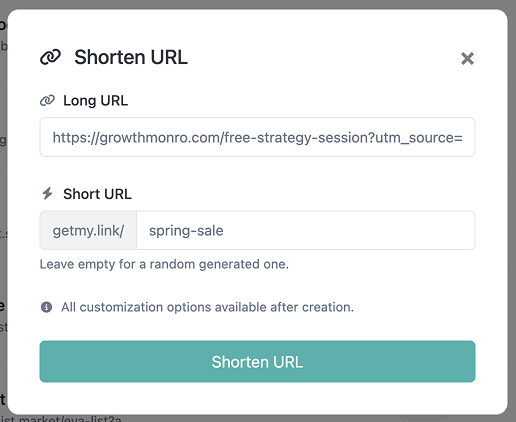
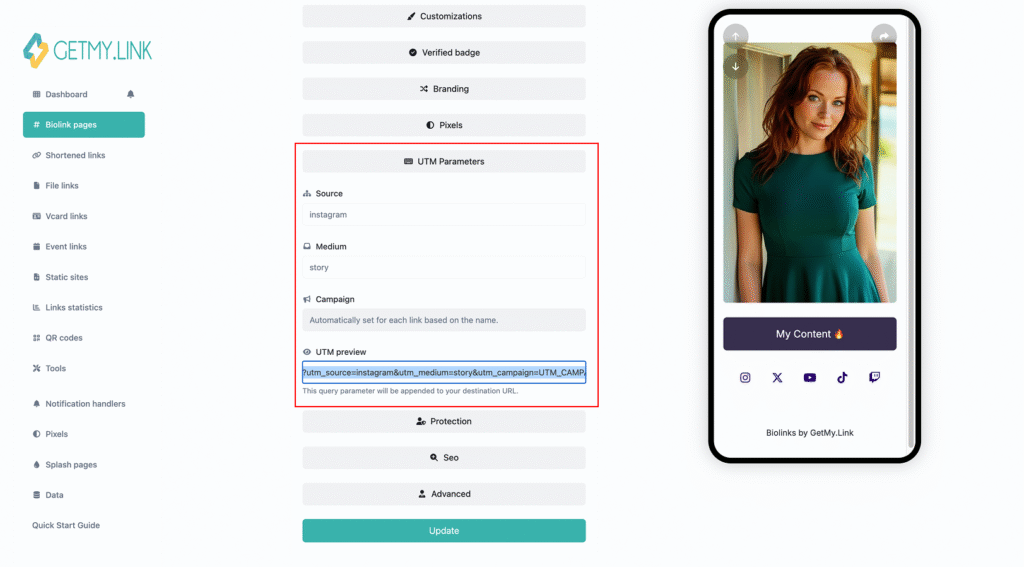
Each short link can include UTM parameters. That means you can track source, medium, and campaign inside your analytics tools. When someone clicks from a Facebook ad, an email newsletter, or a YouTube description, you’ll see exactly where they came from.
This is especially powerful for:
- Paid ads (separate links per platform)
- Email campaigns (track each broadcast)
- Influencer partnerships (unique link per creator)
- Affiliate programs
Instead of guessing which channel performs best, you measure it.
Step 3: QR Codes for Offline & Hybrid Marketing
QR codes are no longer just a restaurant menu tool.
For businesses, they create a direct bridge between offline visibility and online conversion. Whenever someone encounters your brand in the physical world – on packaging, at an event, on a flyer, or even on a business card – a QR code can move that interaction into a measurable digital action.
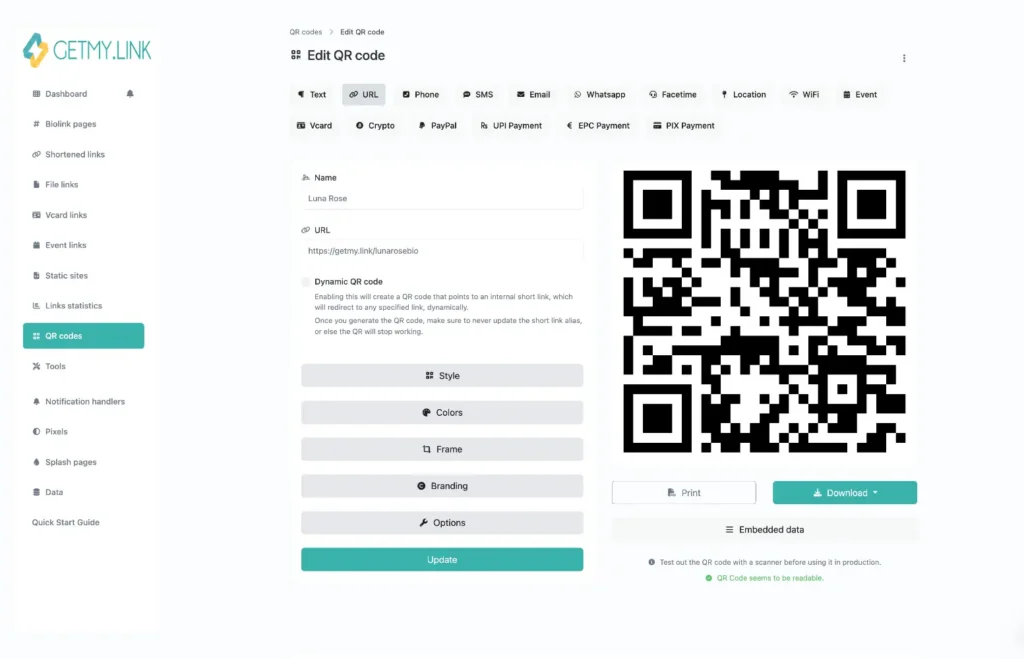
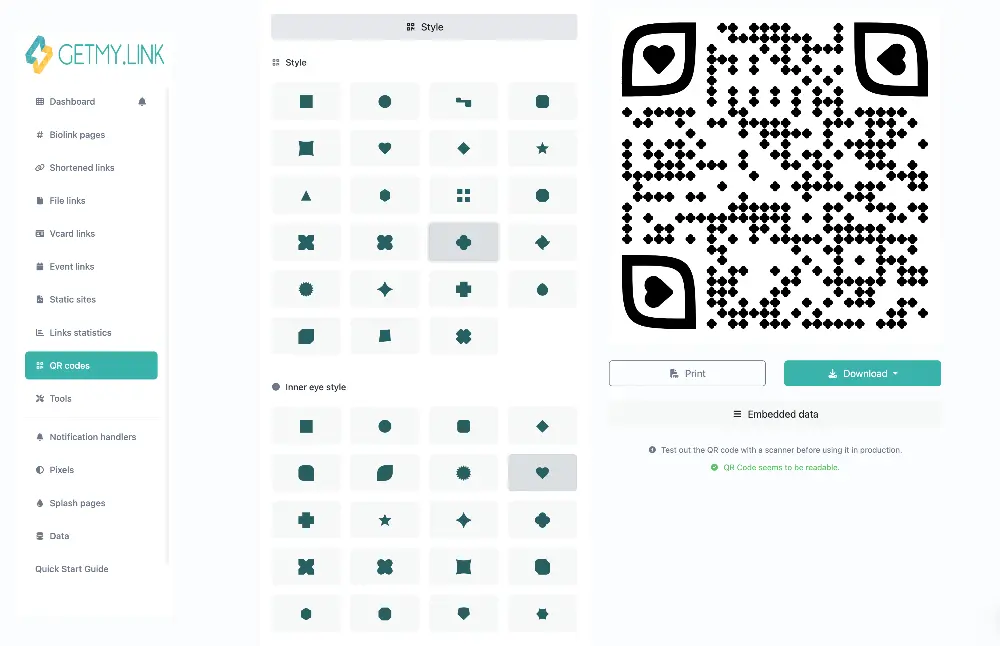
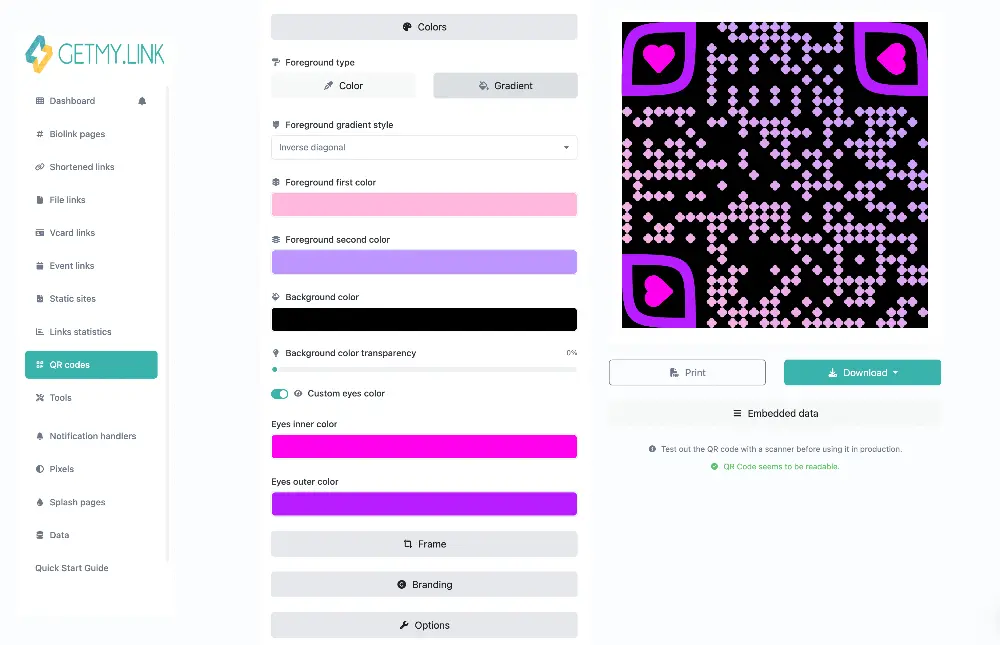
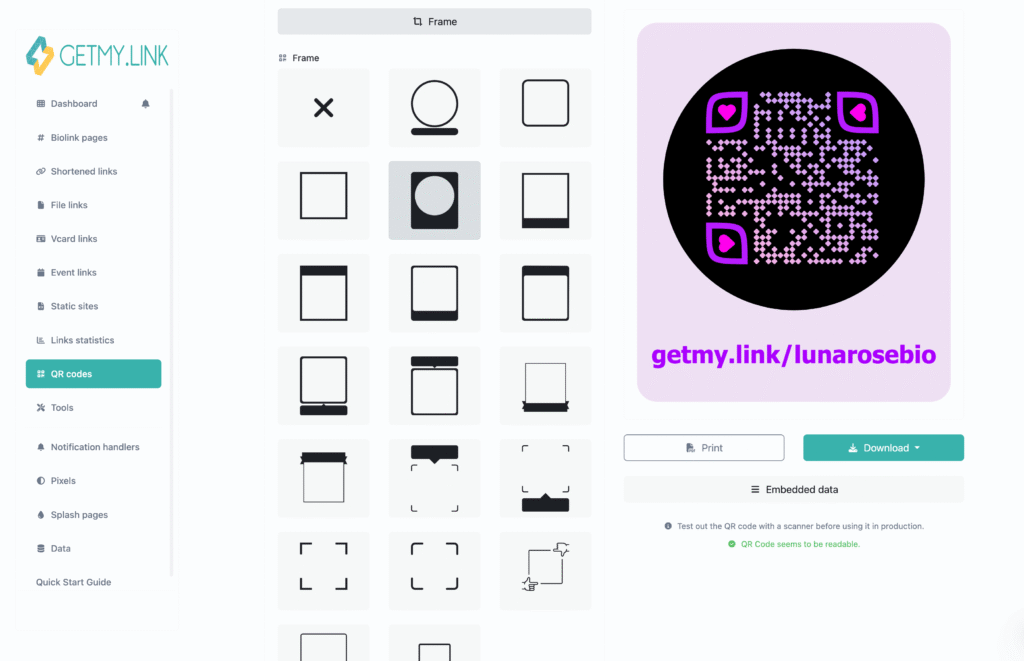
GetMy.Link allows you to generate dynamic, trackable QR codes that link to your bio page, campaign link, product page, or lead form. Unlike static QR codes that permanently point to one fixed URL, dynamic QR codes give you flexibility. You can update the destination later without reprinting materials.
That matters for:
- Product packaging (scan to register warranty or claim a discount)
- Trade shows and conferences (scan to download brochure or book a demo)
- Retail displays (scan to shop online)
- Printed ads and banners (scan to claim a limited-time offer)
- Business cards (scan to access your full digital hub)
Every scan is tracked inside your dashboard. You can see how many times the code was used and measure performance by campaign.
What once felt like unmeasurable exposure becomes trackable, data-driven traffic.
Step 4: Static Pages & File Links for Offers
Not every campaign needs a full website build.
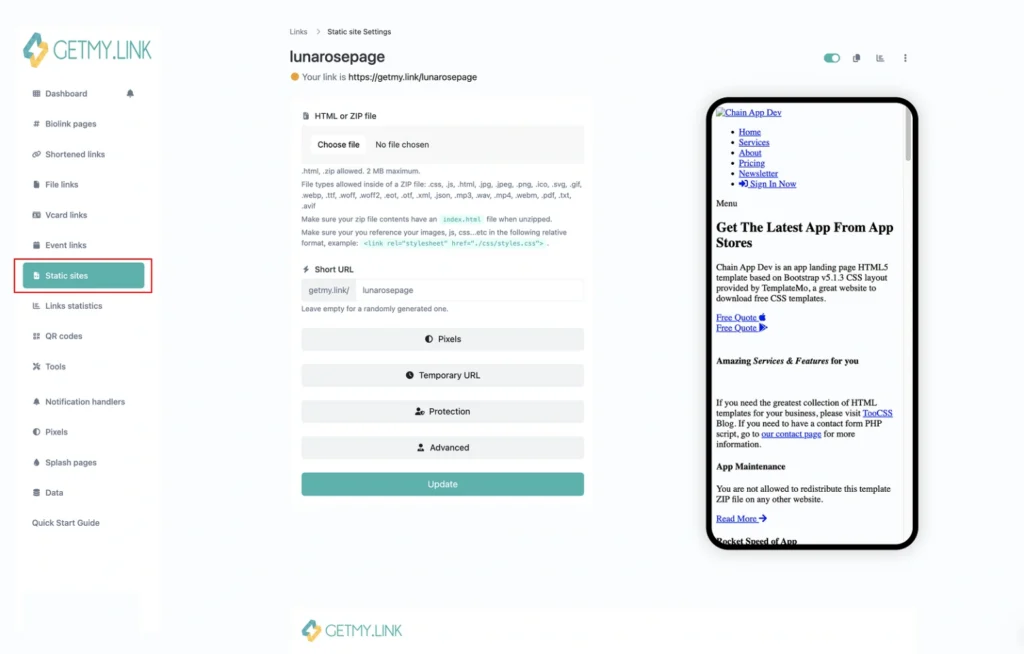
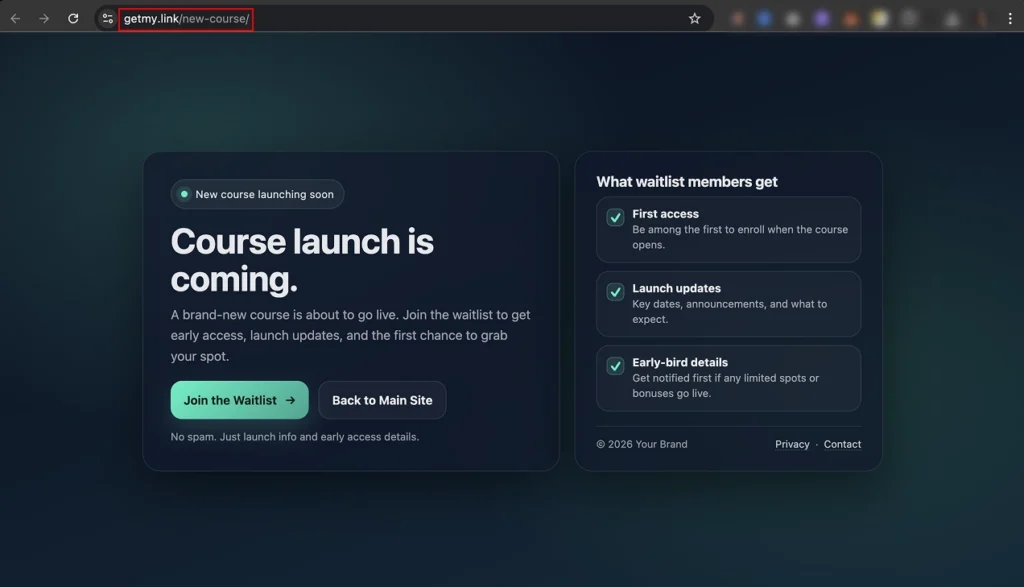
Sometimes you just need a focused page – something clean, direct, and built for one specific goal. That’s where Static Pages inside GetMy.Link become powerful for business use.
A Static Page works like a mini landing page hosted within the platform. You can structure it with headlines, descriptions, images, and buttons. Traffic goes to a focused page dedicated to one offer, not a crowded homepage.
For example, you might create a Static Page for:
- A webinar registration
- A limited-time promotion
- A product launch
- A seasonal campaign
- A partnership announcement
This allows you to isolate traffic and keep the message aligned with the campaign source.
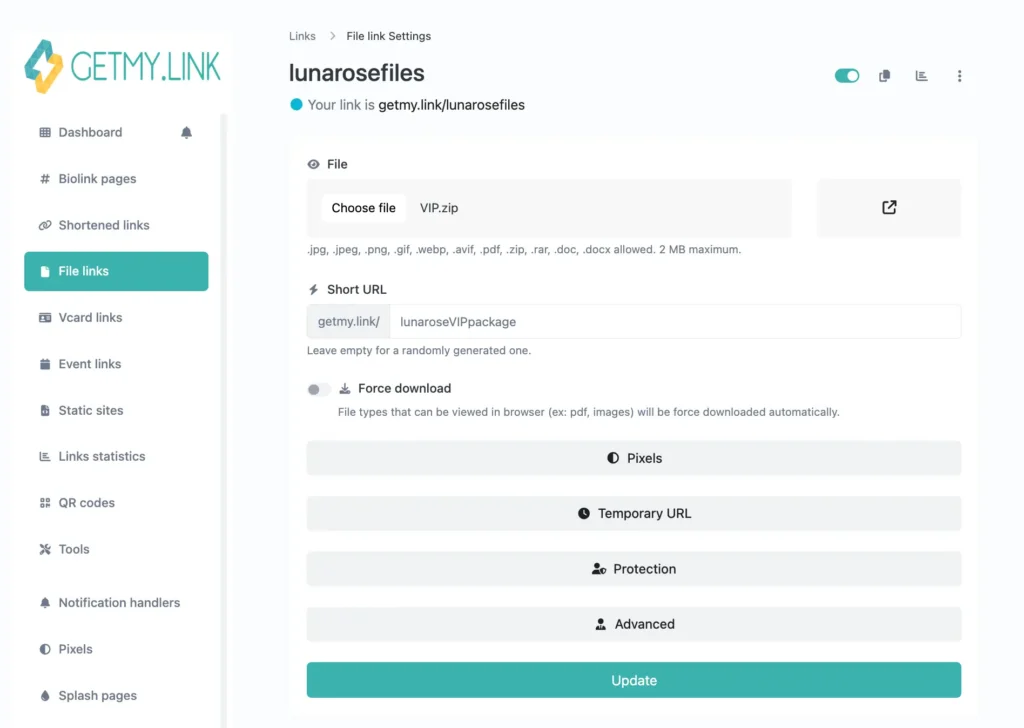
File Links add another layer of flexibility. Businesses can upload and share:
- PDF brochures
- Product catalogs
- Media kits
- White papers
- Pricing sheets
- Lead magnets
Instead of using third-party file services, you manage distribution directly inside your GetMy.Link dashboard.
This is especially useful for consultants, agencies, SaaS companies, and B2B brands that rely on downloadable materials as part of their funnel.
You don’t always need a complex funnel builder. Sometimes, a controlled mini-page and a downloadable asset are enough to drive action.
Step 5: Analytics & Pixel Tracking
Traffic without data is just noise.
One of the strongest advantages of using GetMy.Link for business is that it doesn’t stop at link creation – it gives you visibility into how those links perform.
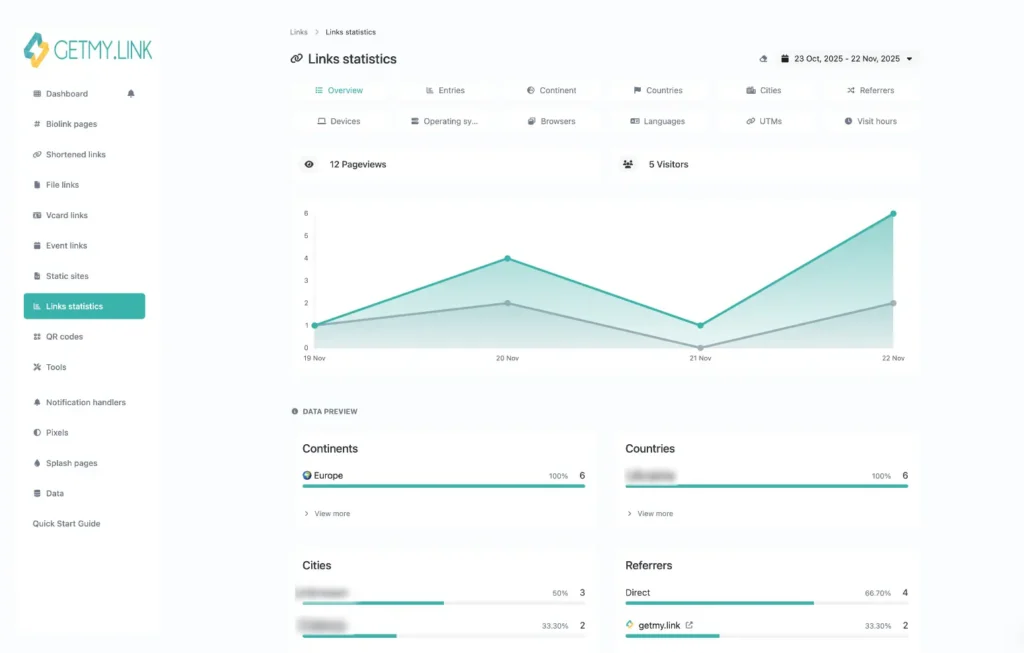
Inside the built-in analytics dashboard, you can monitor:
- Total clicks per link
- Traffic over time
- Referrer sources
- Device type (mobile vs desktop)
- Geographic location data
This allows you to understand not only how much traffic you’re getting, but where it’s coming from and how users are accessing it. For example, if most clicks come from mobile Instagram traffic, you can optimize your page layout accordingly. If a specific campaign drives spikes in clicks, you can scale it.
Beyond native analytics, GetMy.Link supports pixel integration. You can connect tracking tools such as Meta Pixel, Google Analytics, TikTok Pixel, or other advertising trackers. This enables retargeting.
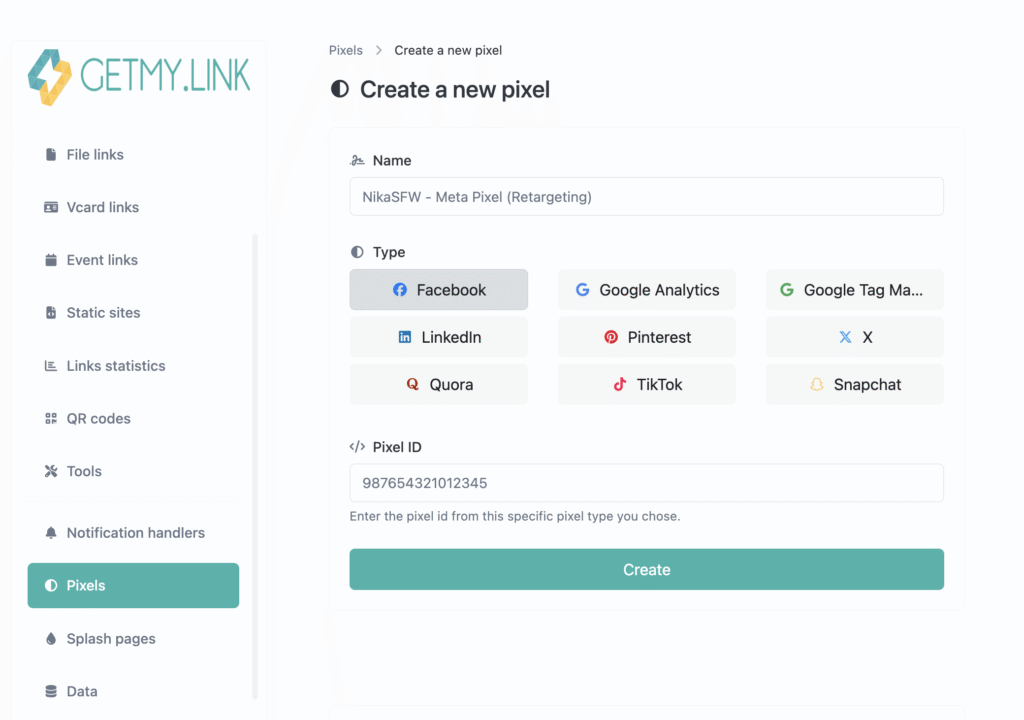
Here’s why that matters:
If someone clicks your link but doesn’t convert, you can re-engage them through paid ads later. Instead of losing that visitor, you bring them back into your funnel.
This turns your link hub into part of a larger performance system – not just a redirect tool.
Conclusion
GetMy.Link is not just a place to store links.
For businesses, it functions as a controlled marketing layer – a system that connects traffic sources, campaigns, and conversion goals in one structured environment.
Visitors enter through a centralized entry point rather than scattered URLs. Channel performance is tracked with clarity across clicks, devices, and locations. Campaign assets — short links, QR codes, static pages, and downloads — are managed from one structured dashboard.
The difference is clarity.
When your traffic flows through a measurable hub, decisions become data-driven. Campaigns become comparable. Marketing becomes structured rather than reactive.
Whether you’re running paid ads, launching a product, collecting leads, or collaborating with partners, GetMy.Link gives you the infrastructure to turn simple links into performance tools.
In modern digital marketing, control and measurement matter. A well-built link system is no longer optional – it’s foundational.
Leave a Reply